Stock control is available for Nex subscribers. Click here and check out all our subscription plans.
If your product's stock is becoming negative after a sale, reprocessing this stock will correct this issue, and the stock will display the correct value.
If the stock in Nex does not match the physical stock of the store, reprocessing the stock can help. However, when this happens, it is usually due to an operational error in daily activities where something was not registered or was registered incorrectly.
Let's learn how to reprocess stock?
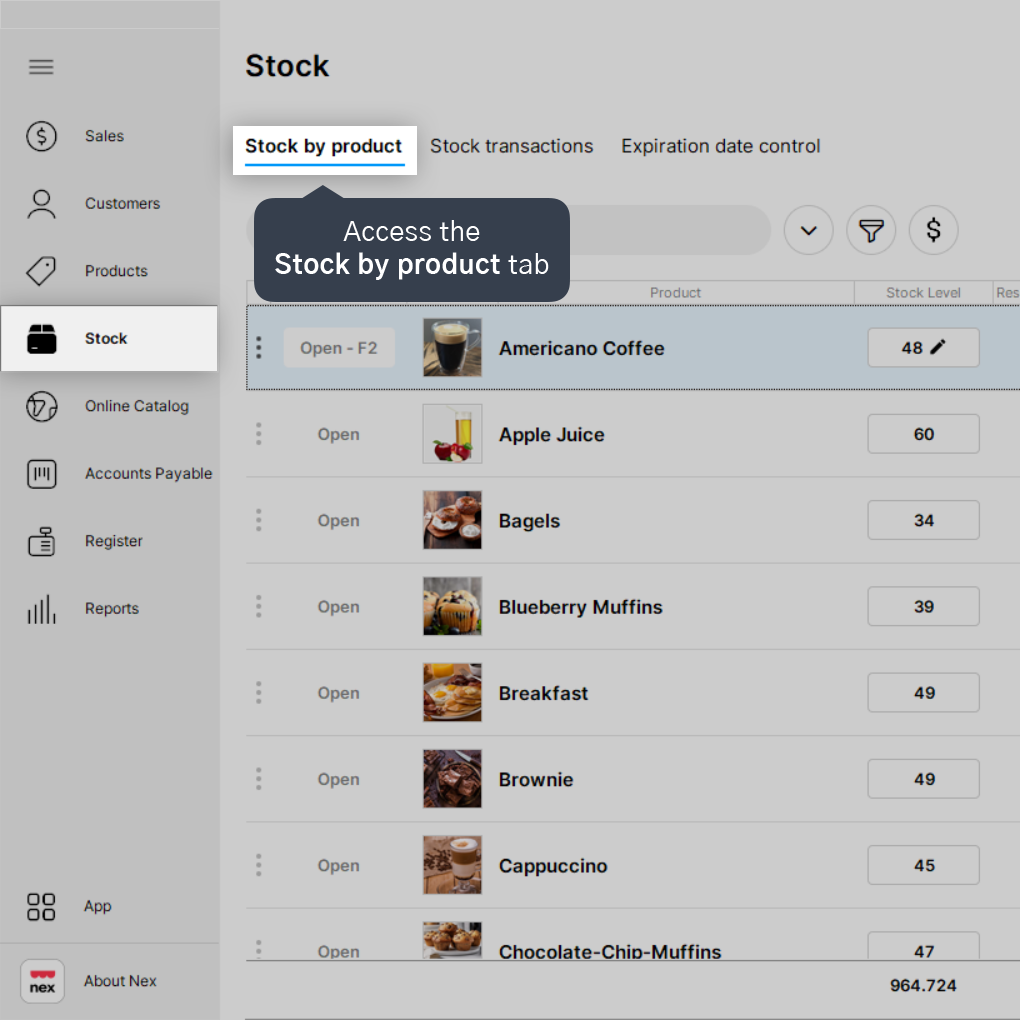
1. On the Stock screen, access the Stock by product tab.
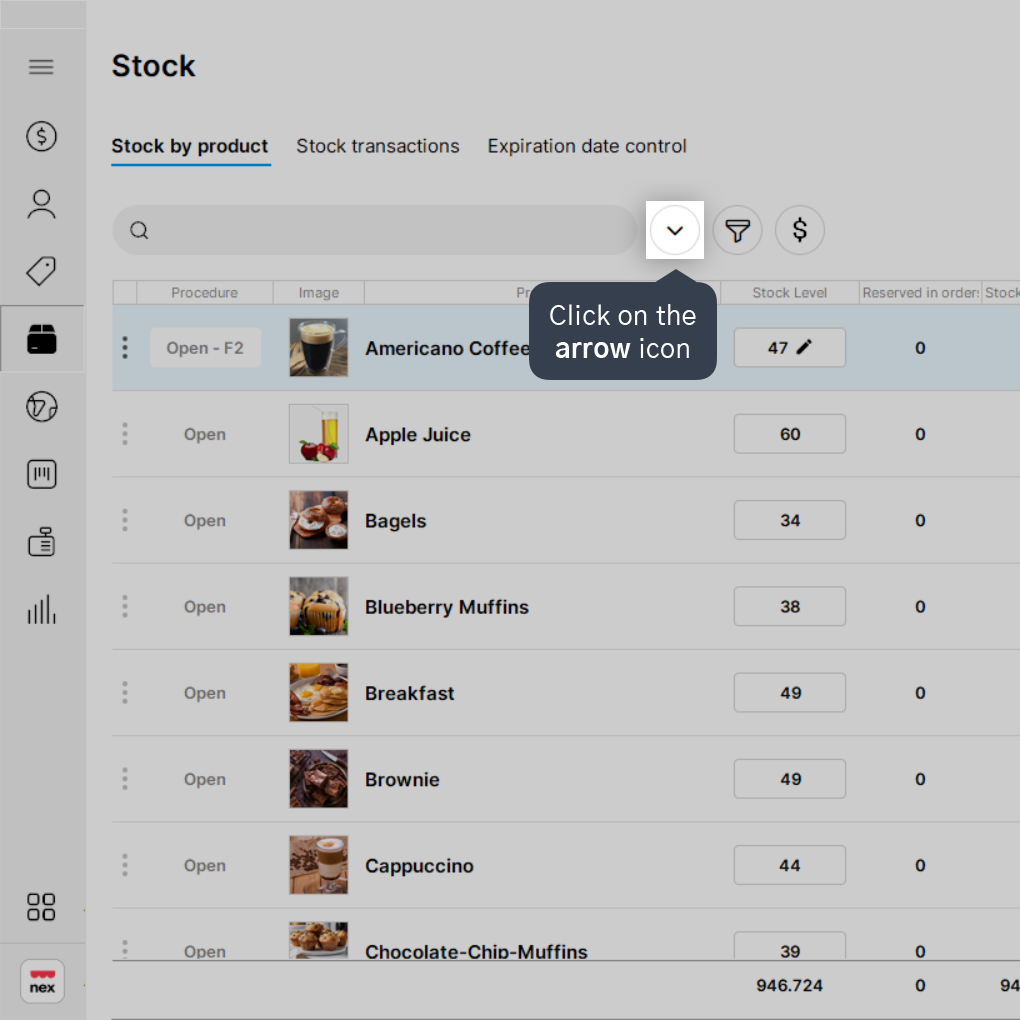
2. Click on the arrow icon.
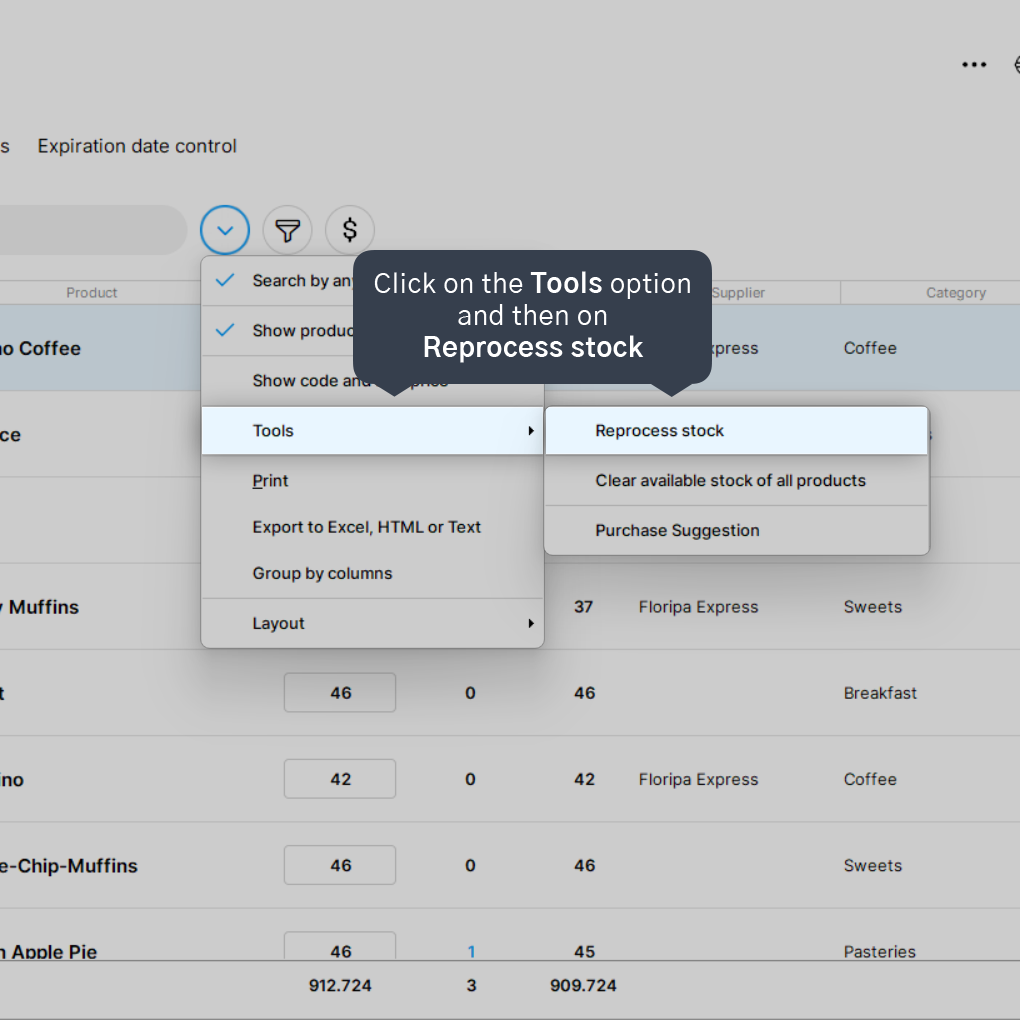
3. Click on the Tools option and then on Reprocess stock.
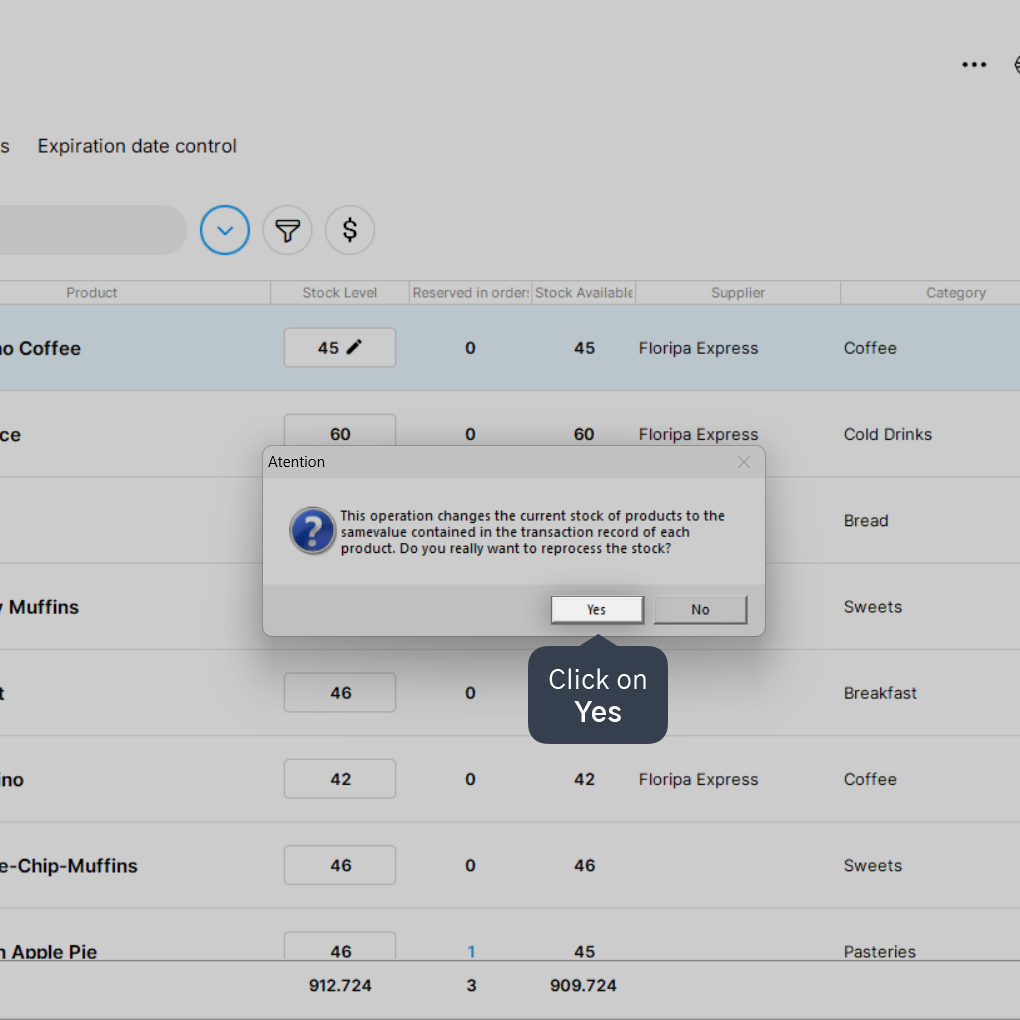
4. Click on Yes.
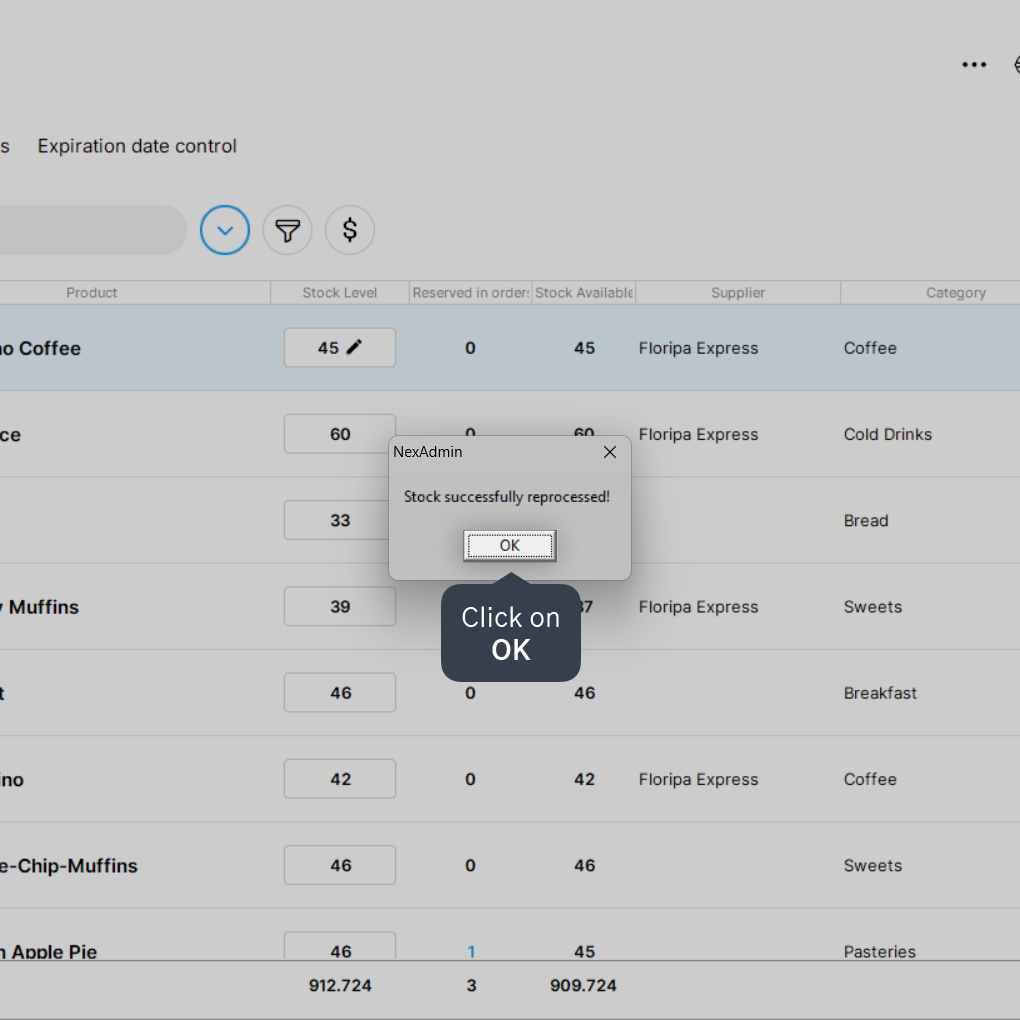
5. Wait for the process to finish and click on Ok.