See how to close the register at the end of the day to have better control over your store's transactions.
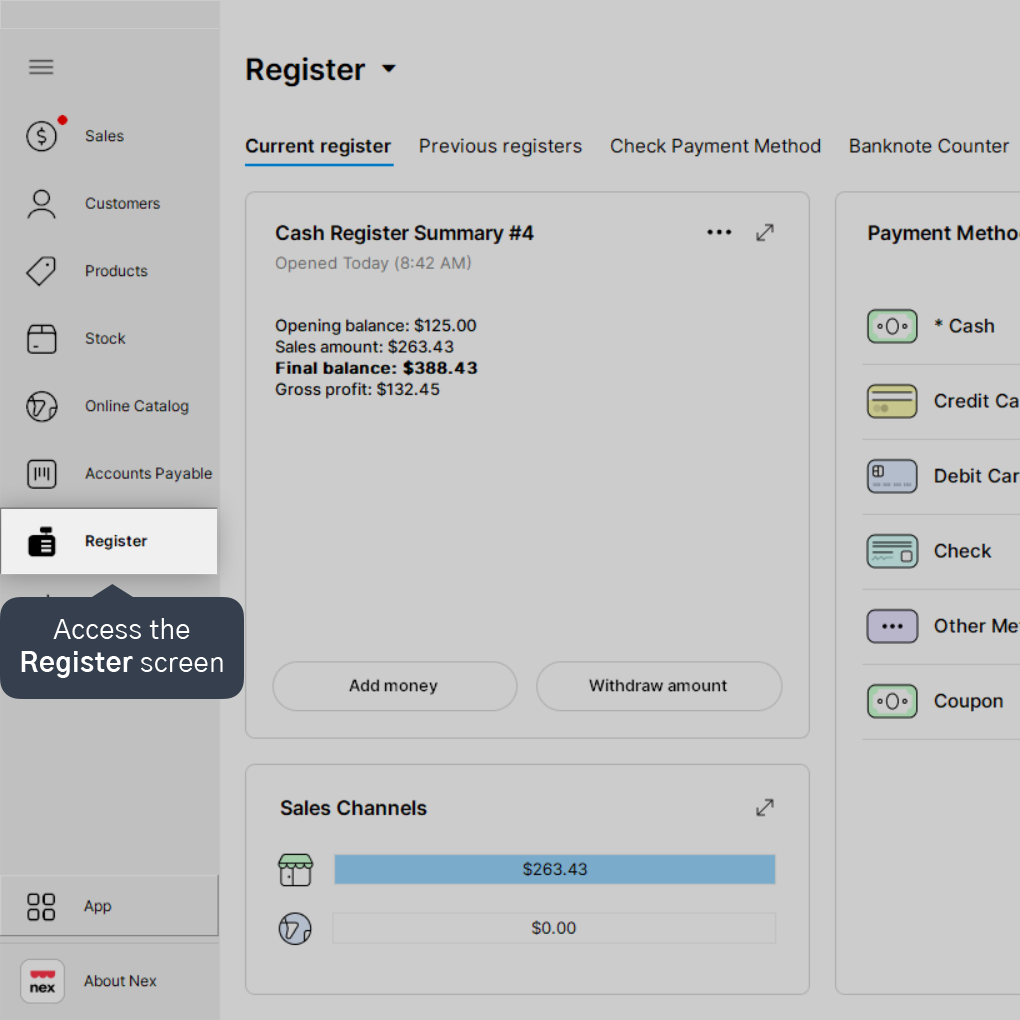
1. Access the Register screen.
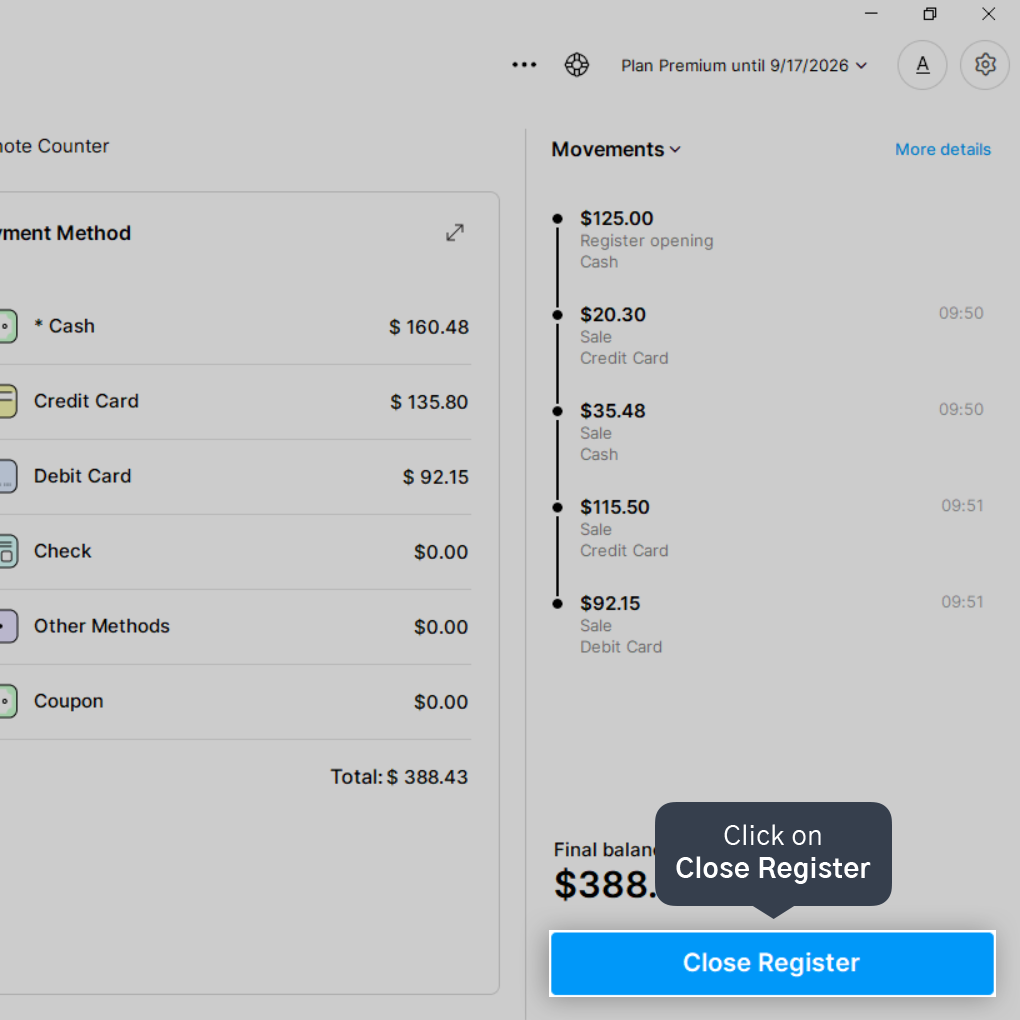
2. Click on Close Register.
3. Enter the final amount in the Register Balance field for each payment method.
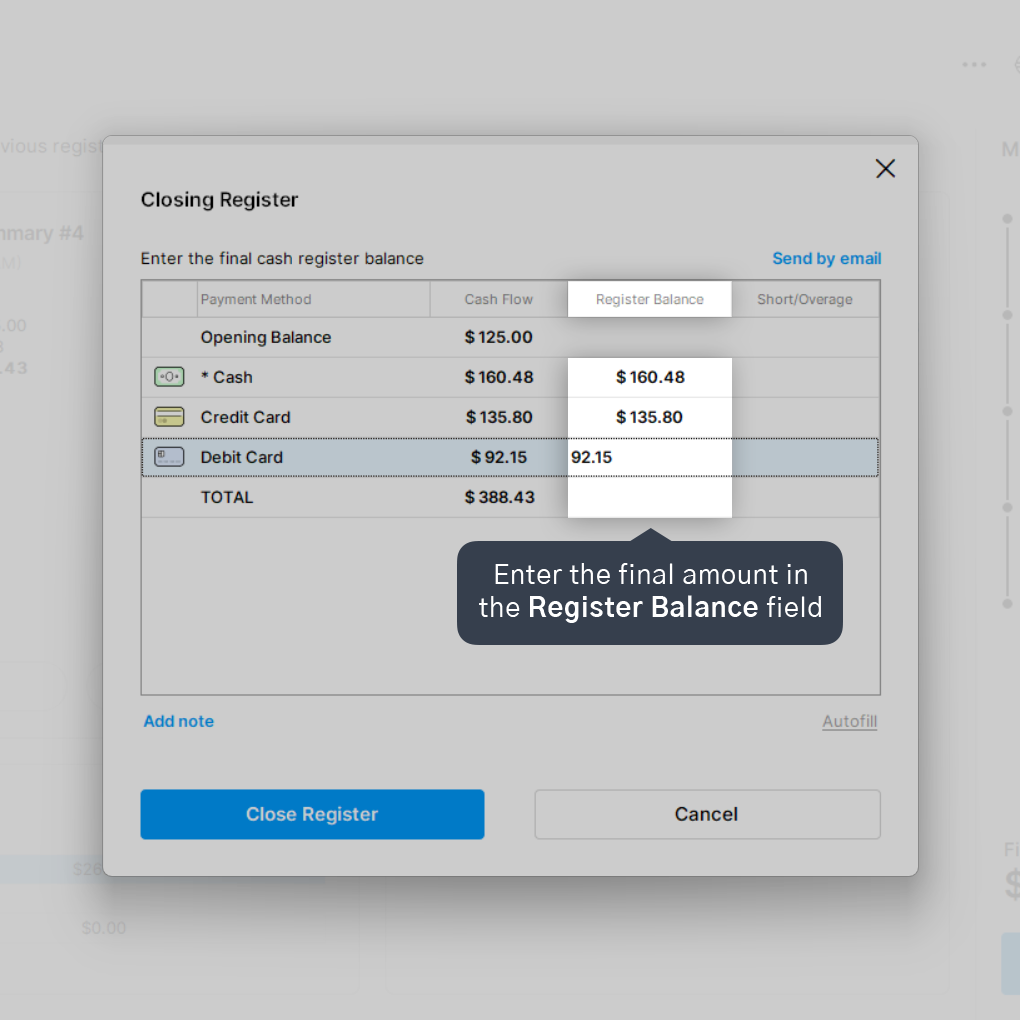
Nex will inform you if there is any difference (cash discrepancy) between the reported final balance and the total calculated by the system.
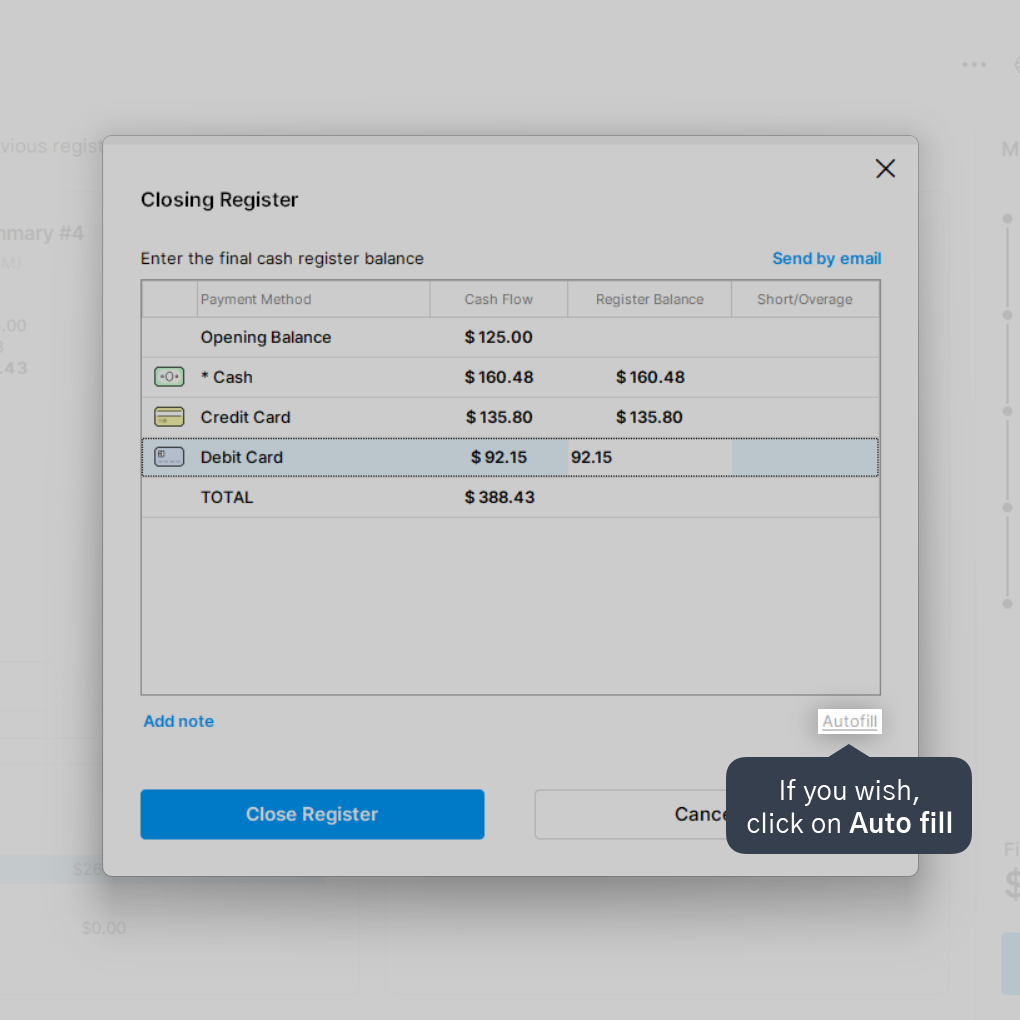
4. If you wish, click on Auto-fill so that Nex fills in all payment methods with the same recorded amount.
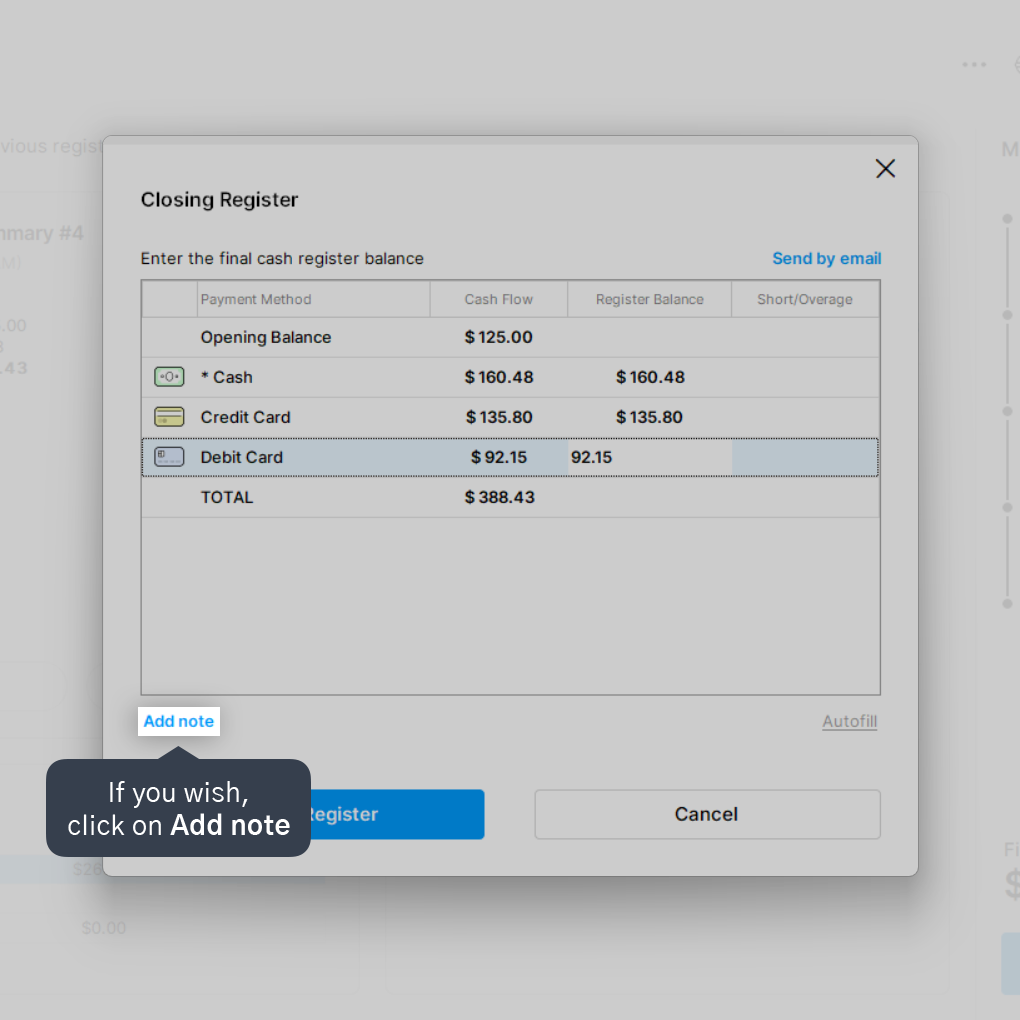
5. If you wish, click on Add note to enter a note for this register session.
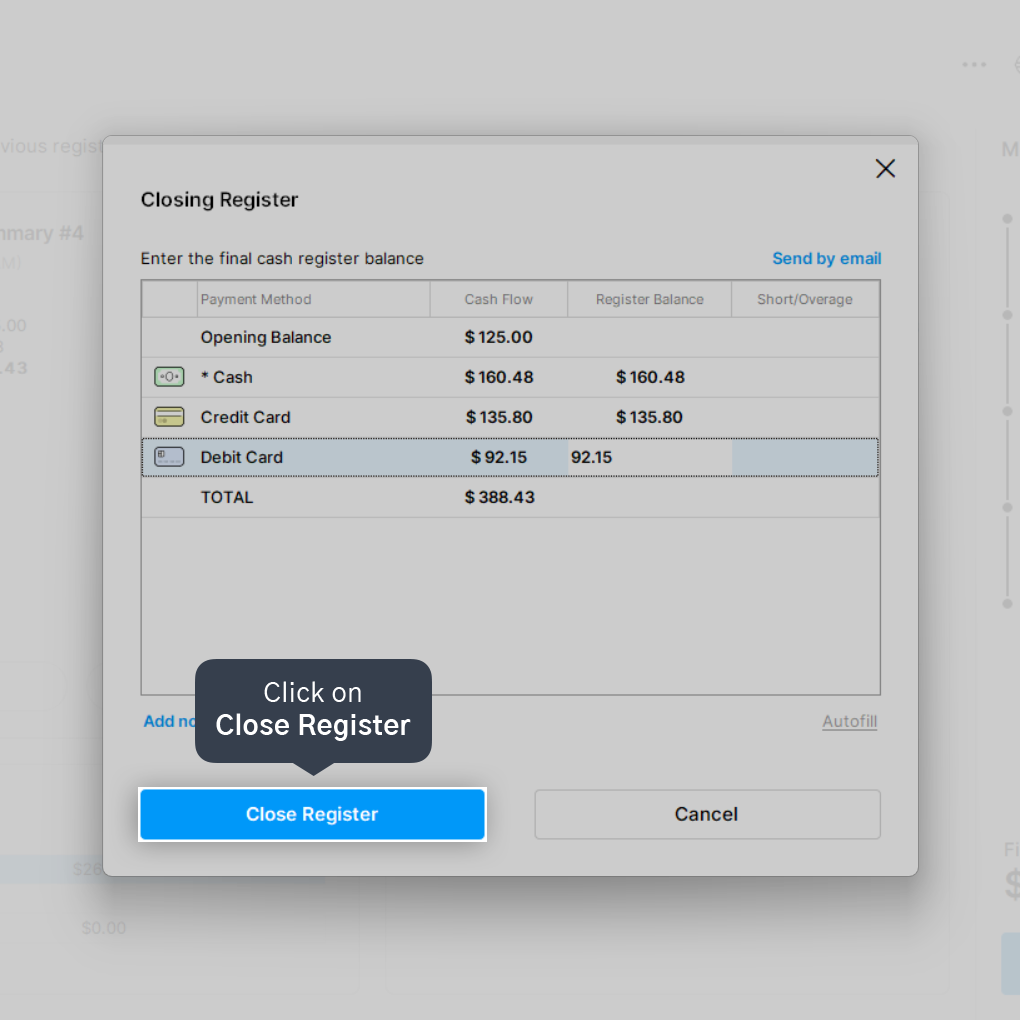
6. Click on Close Register.
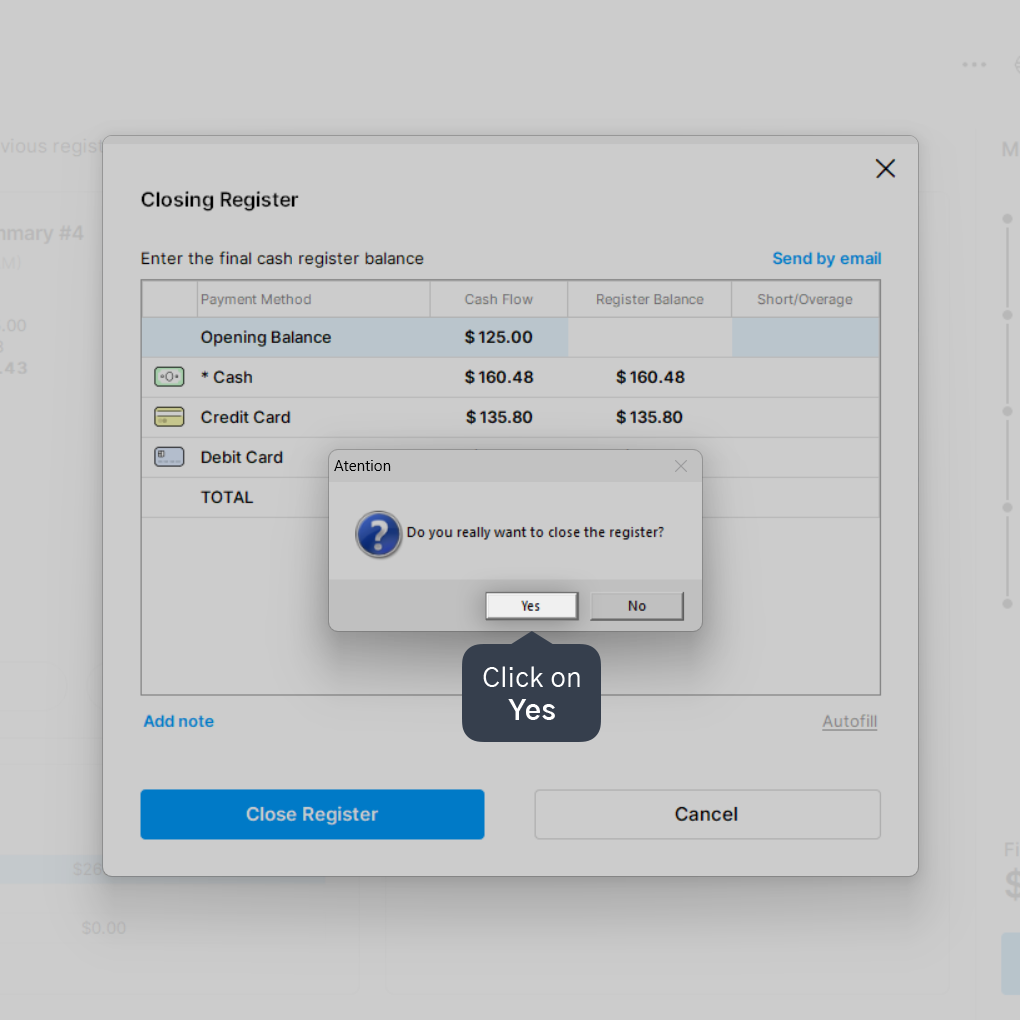
7. Click Yes to finalize.
Done! Your register is closed and you can open a new register whenever you wish.


