Learn how to change the opening amount entered in your register.
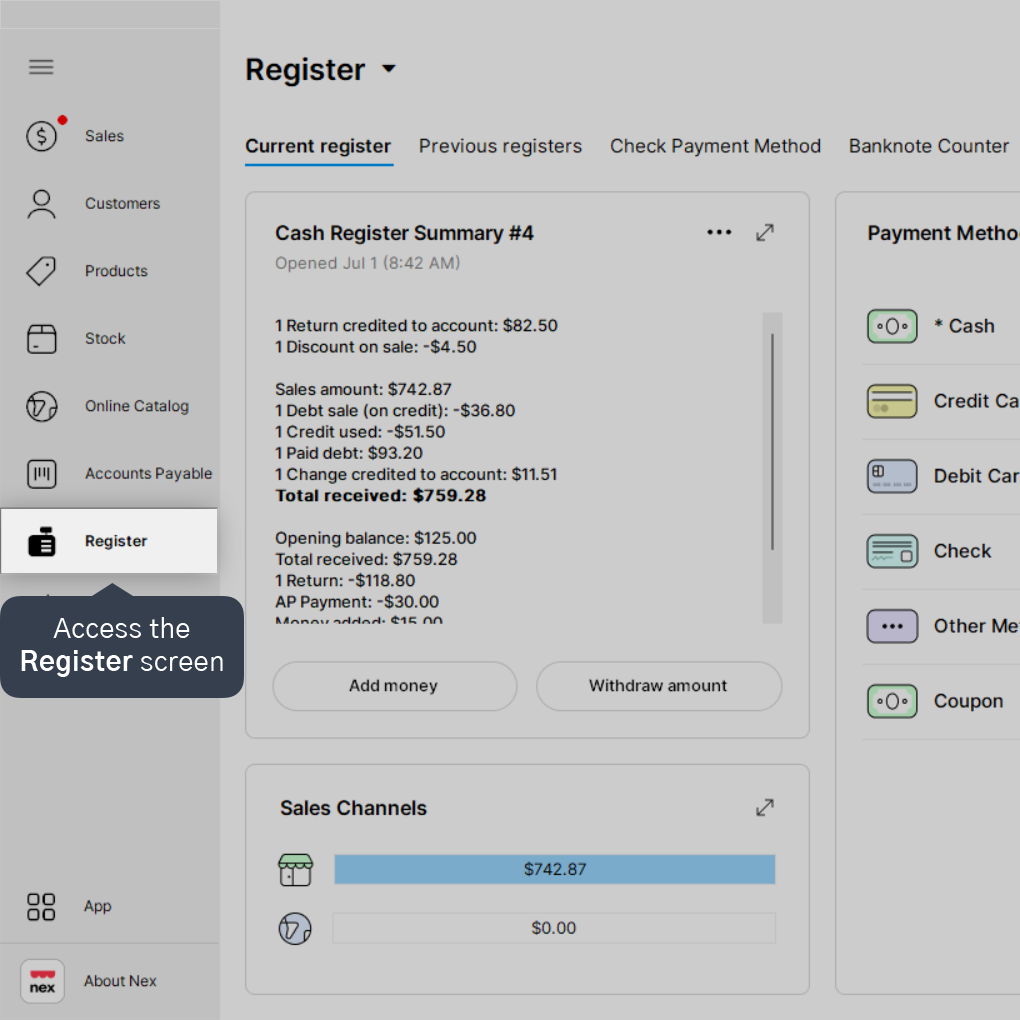
1. Access the Register screen.
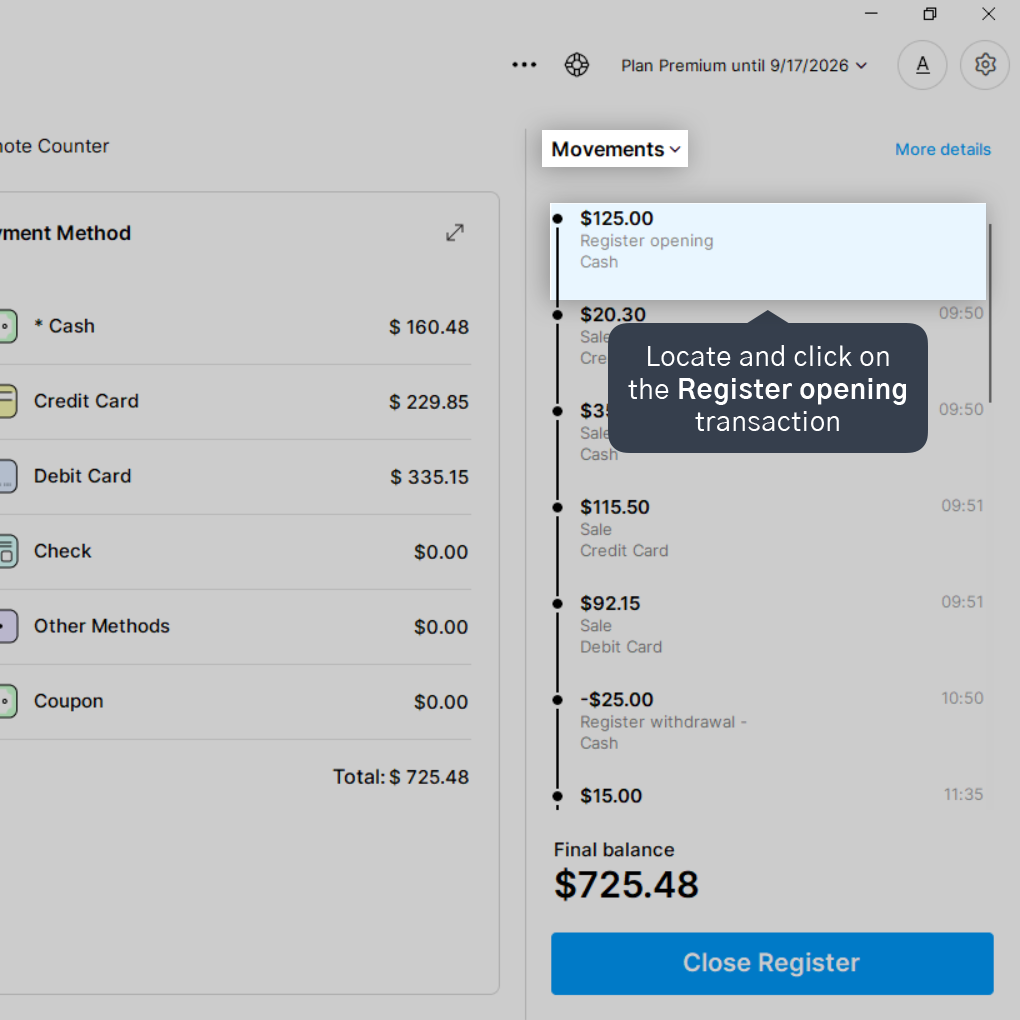
2. Locate and click on the Register opening transaction under the Movements column.
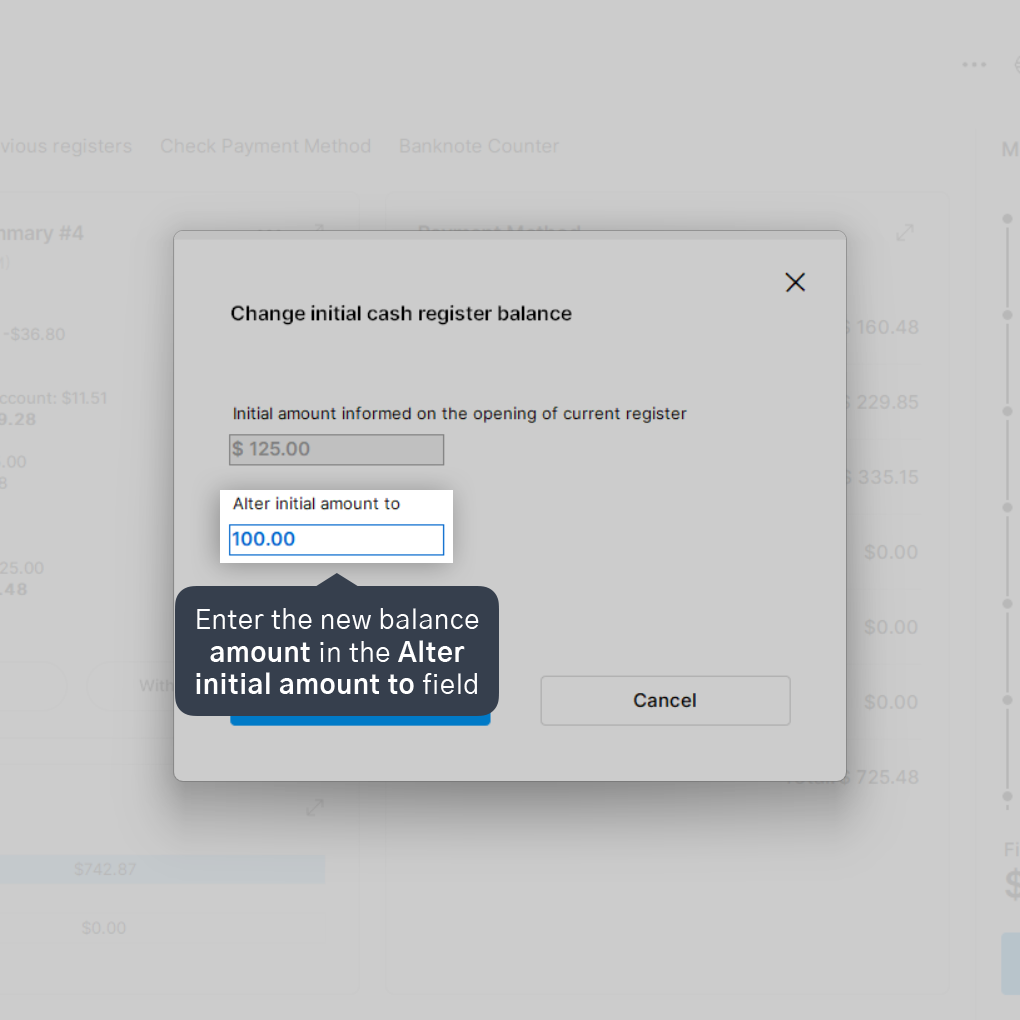
3. Enter the new balance amount in the Alter initial amount to field.
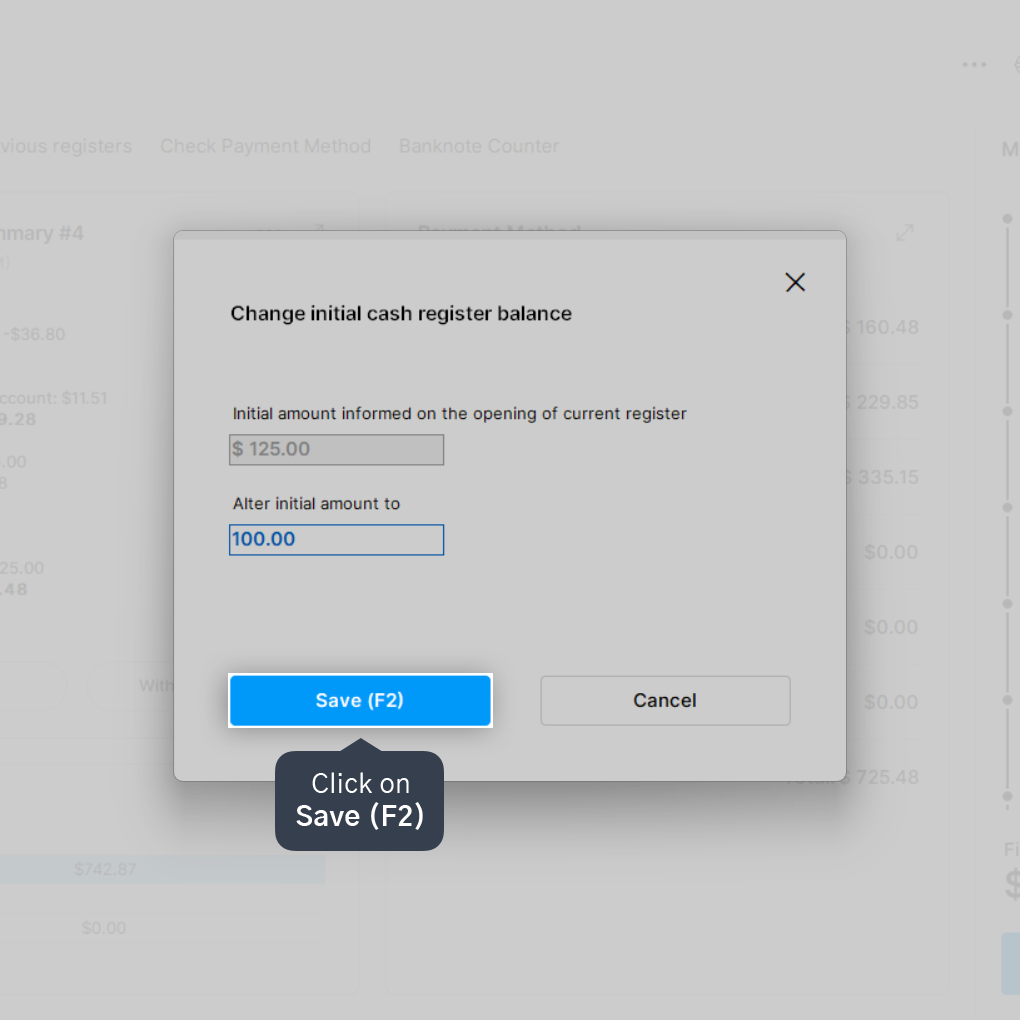
4. Click on Save (F2).
5. Click on Yes.
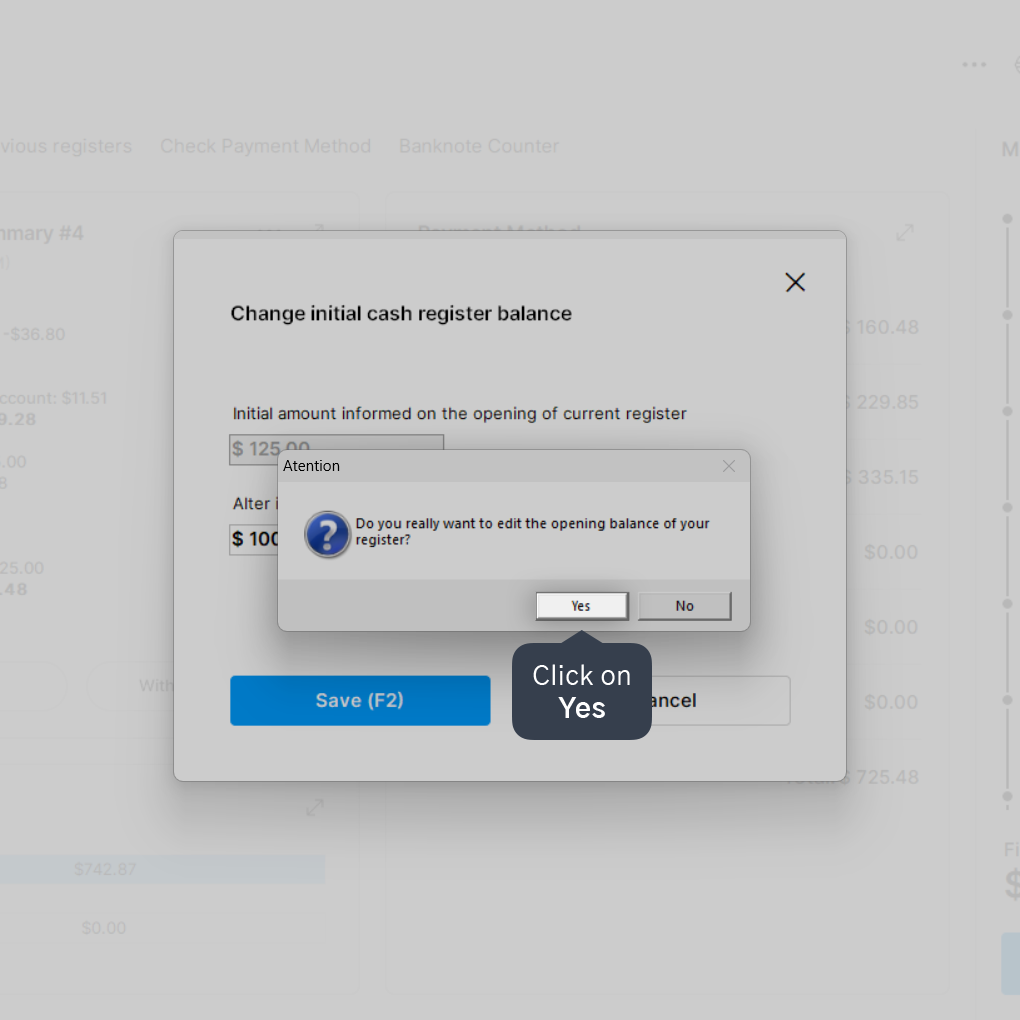
Done! The opening balance of the current register has been changed to the reported amount.


