See how simple and practical it is to define a standard markup that can be used to automatically generate the selling price of products based on the cost price.
The markup is a percentage (%) used to calculate the sale price automatically, that is, it is the percentage that will be added to the cost price. A markup of 10% indicates that the selling price will correspond to 110% of the cost price. For example, if the product costs 100 reais, with a 10% markup, its selling price will be 110 reais.
1. Click here to access Nex in your browser and log in with the EMAIL and PASSWORD from your Nex account.

2. Go to the PRODUCTS menu.

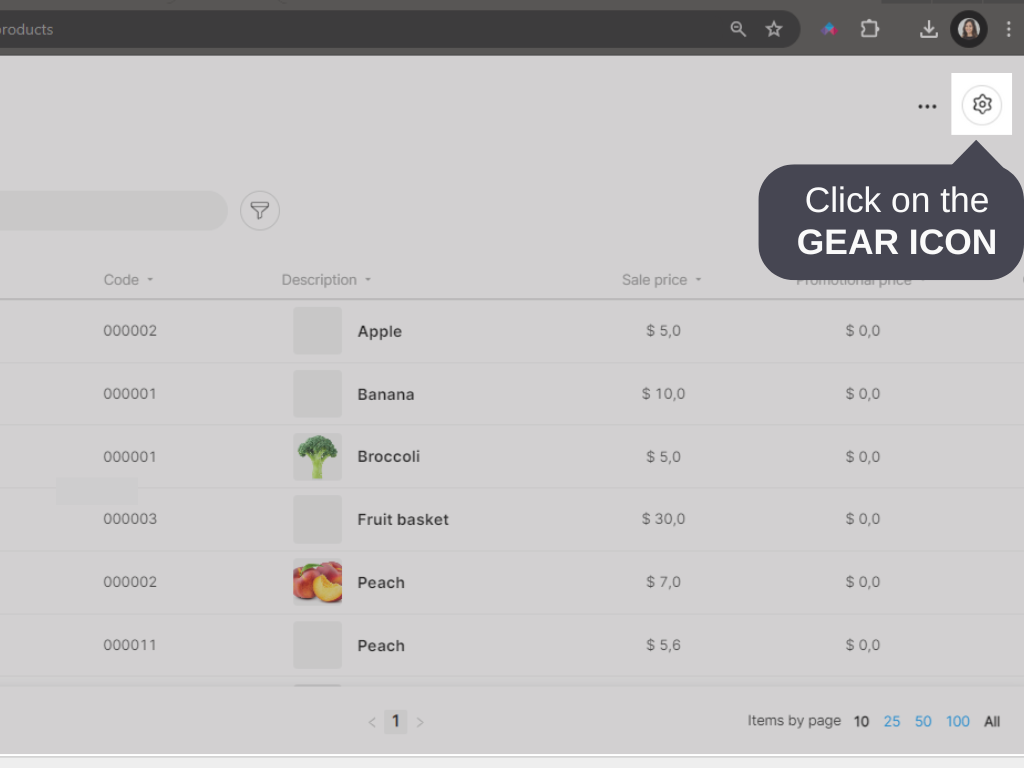
3. Click on the GEAR icon.
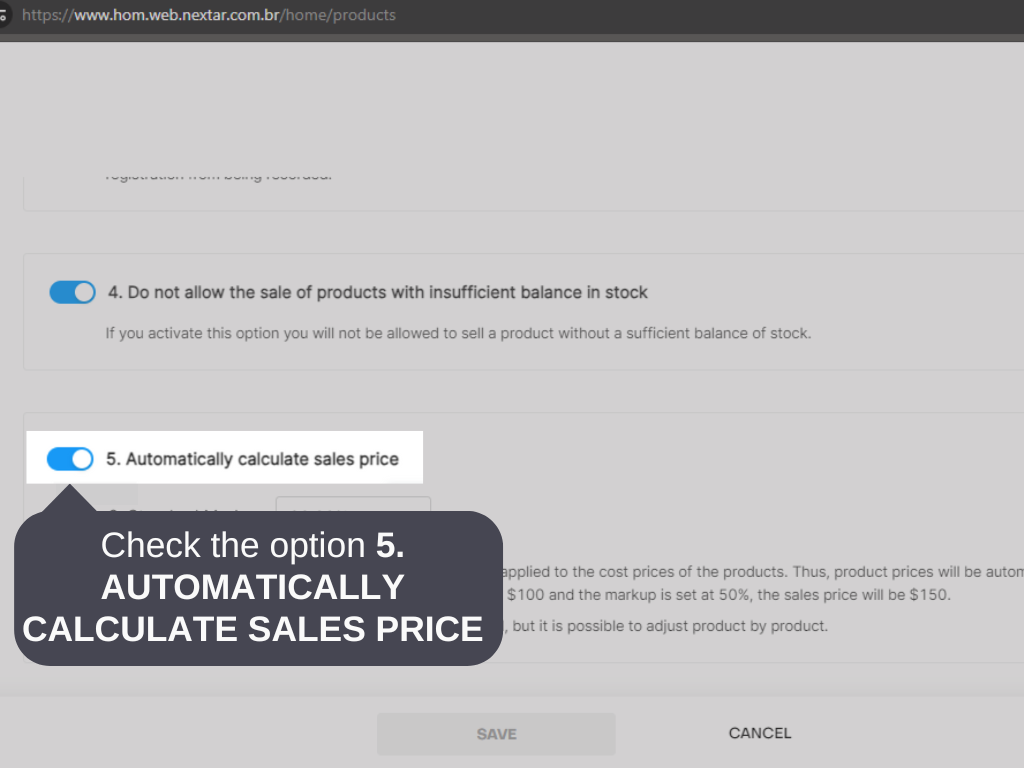
2. Check the option 5. AUTOMATICALLY CALCULATE SALES PRICE.
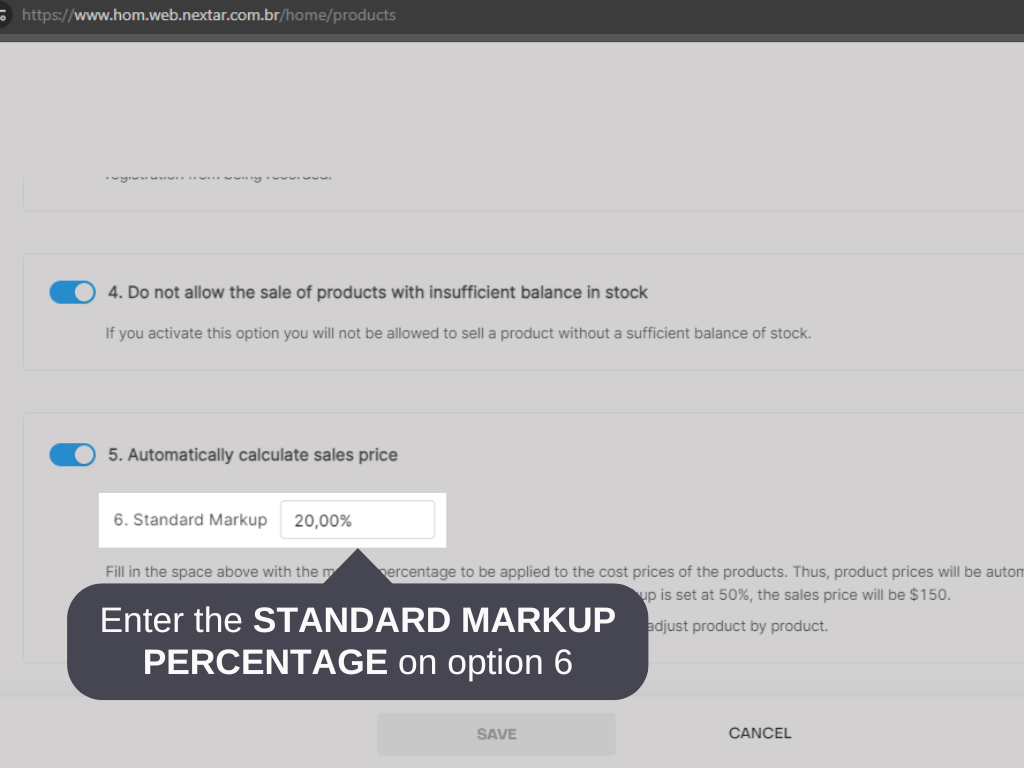
3. In option 6.STANDARD MARKUP, inform the desired markup percentage.
4. Click on SAVE.
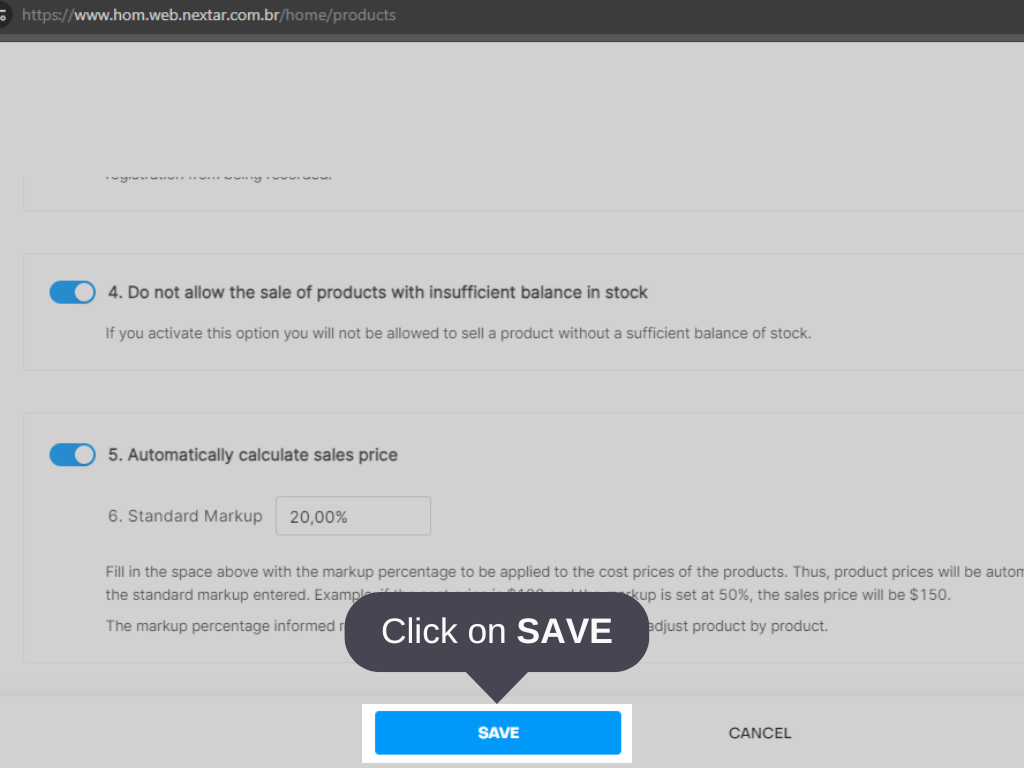
Done! The default markup has been set through Nex on the web.


