See how to configure it to allow the registration of two or more products with the same code.
1. Click here to access Nex in your browser and log in with the EMAIL and PASSWORD from your Nex account.

2. Go to PRODUCTS menu.

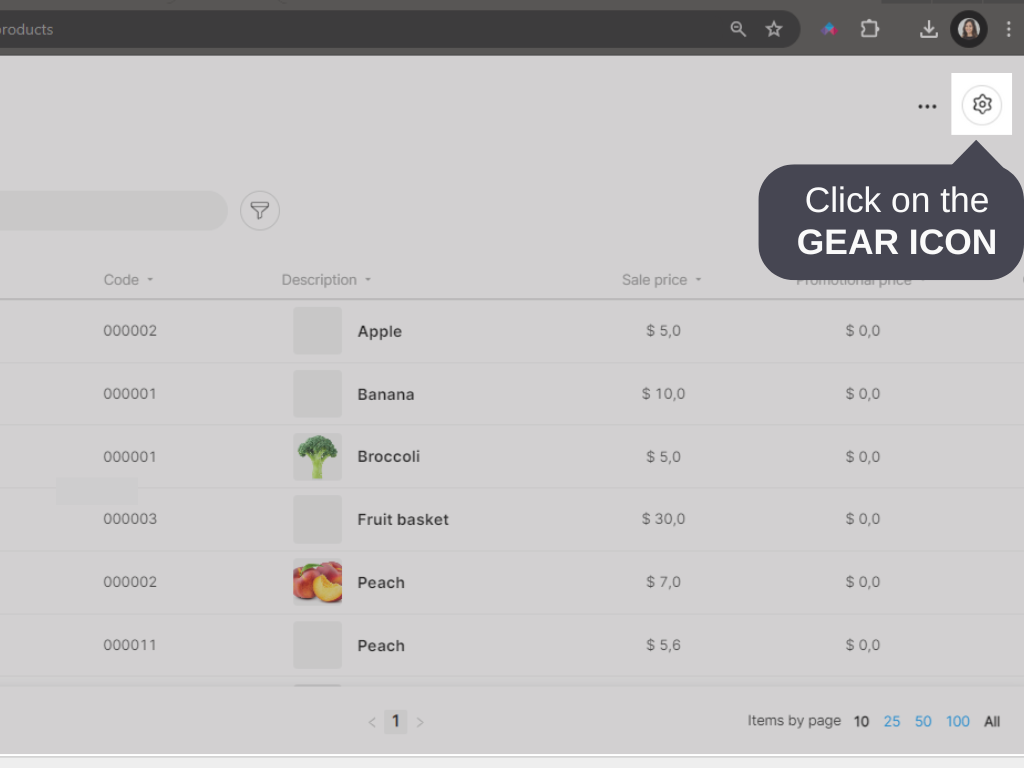
3. Click on the GEAR icon.
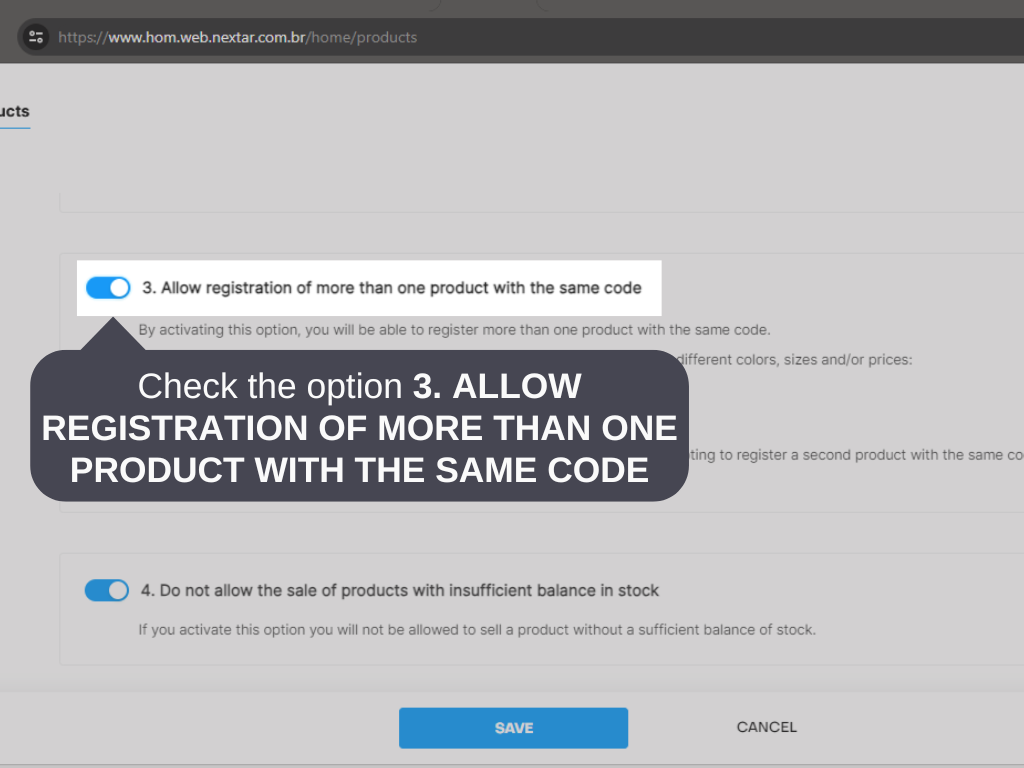
4. Select option 3. ALLOW REGISTRATION OF MORE THAN ONE PRODUCT WITH THE SAME CODE.
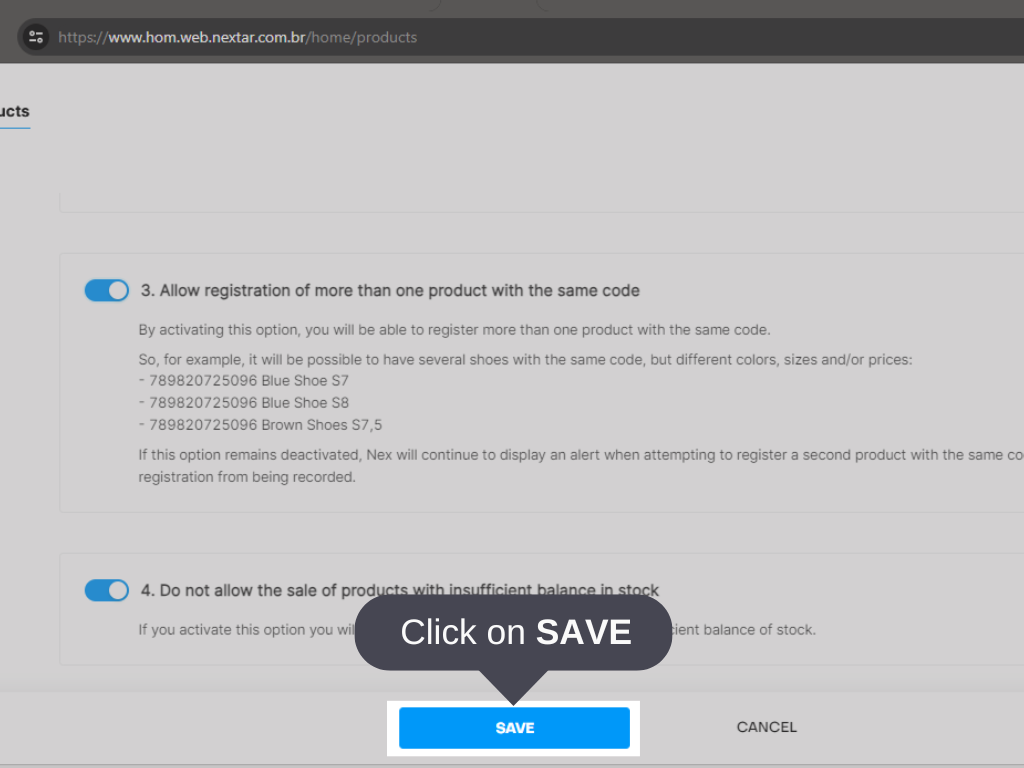
5. Click on SAVE.
Done! Nex will allow products to be registered using the same identification code.


