See how easy it is to give discounts when making a quotation. You can enter the discount as a flat dollar amount or as a percentage of the total.
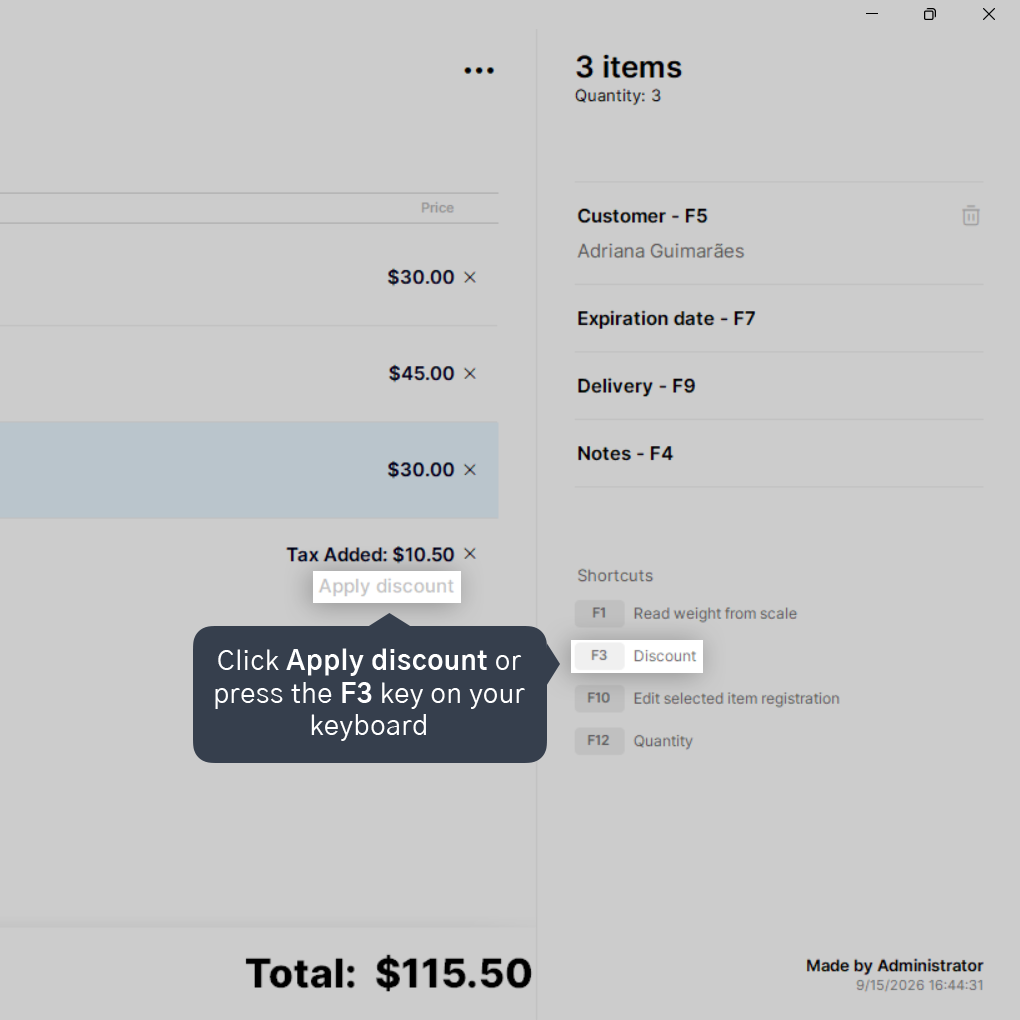
1. After adding your products to the quotation, click Apply discount or press the F3 key on your keyboard.
For more details on how to create a quotation, click here.
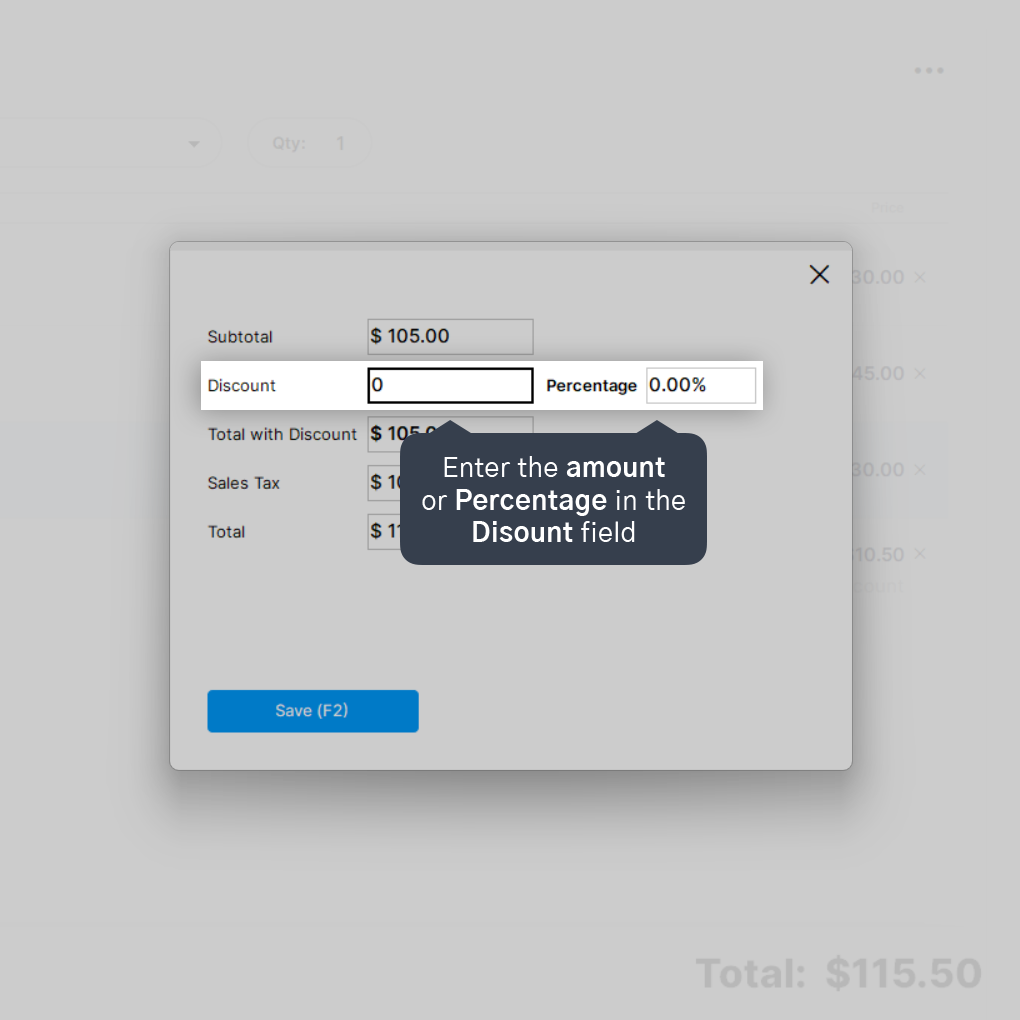
2. Enter the discount amount in the Discount field or put a percentage in the Percentage field.
3. Click on Save (F2) to apply the discount.
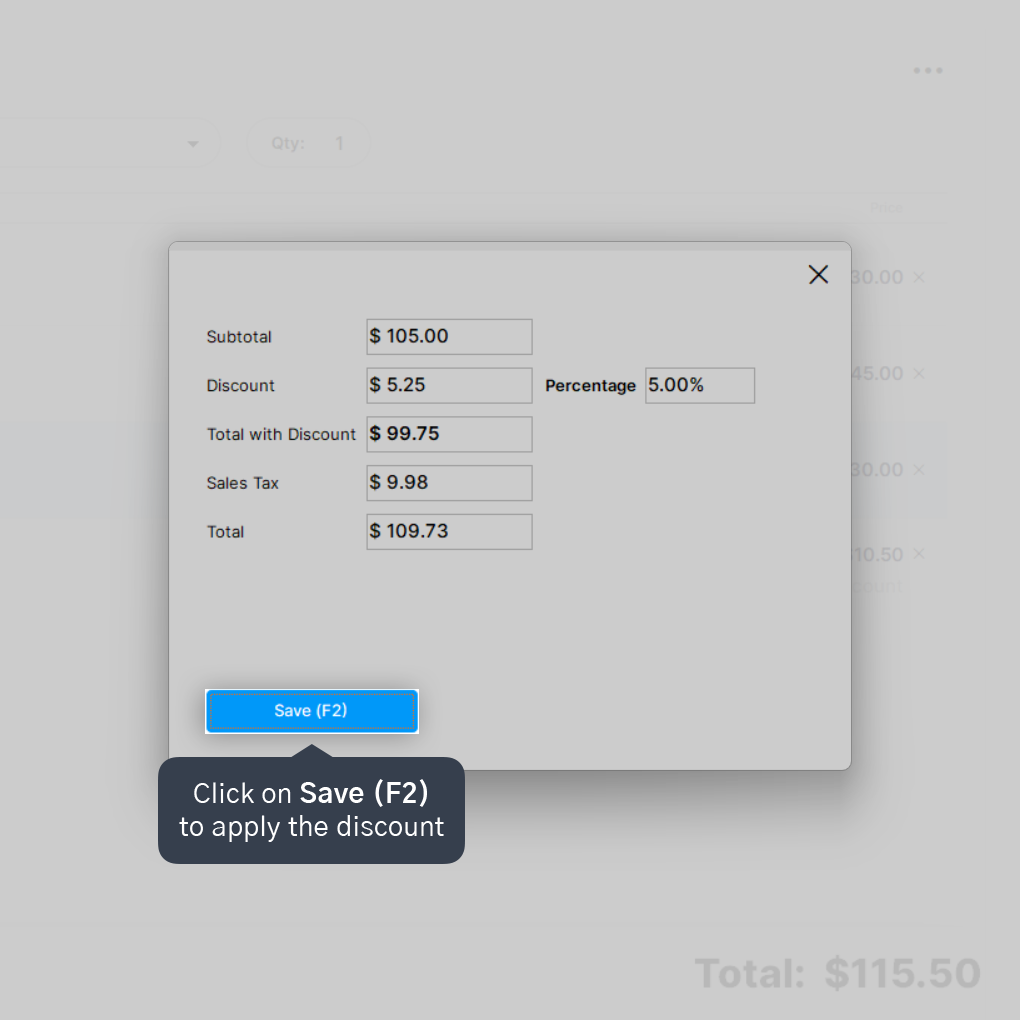
Done! The discount will now show up on the screen, and you can save your quotation by clicking Save - F2 in the bottom left corner.


