Understand what the Accounts Payable feature is and how you can control your bills/expenses with Nex.
This feature is available using the Premium plan of Nex. Click here and check out all our subscription plans.
Accounts Payable is a Nex feature developed to facilitate the financial organization of your establishment, allowing you to register bills that need to be paid and maintaining a history of payment transactions made. With this feature, it is possible to have a more efficient control over expenses, making it easier to check bills that are upcoming, overdue, or already paid.
You can register bank slips, checks, or other documents, recording information such as due date, account number, description of what it refers to, supplier, category, amount to be paid, payment date (if it has already been paid), and the bill's recurrence. In addition, if you perform cash register control, you can choose whether or not to deduct the bill amount from your cash register. Thus, if you use cash from the register to pay the bill, Nex automatically deducts the amount.
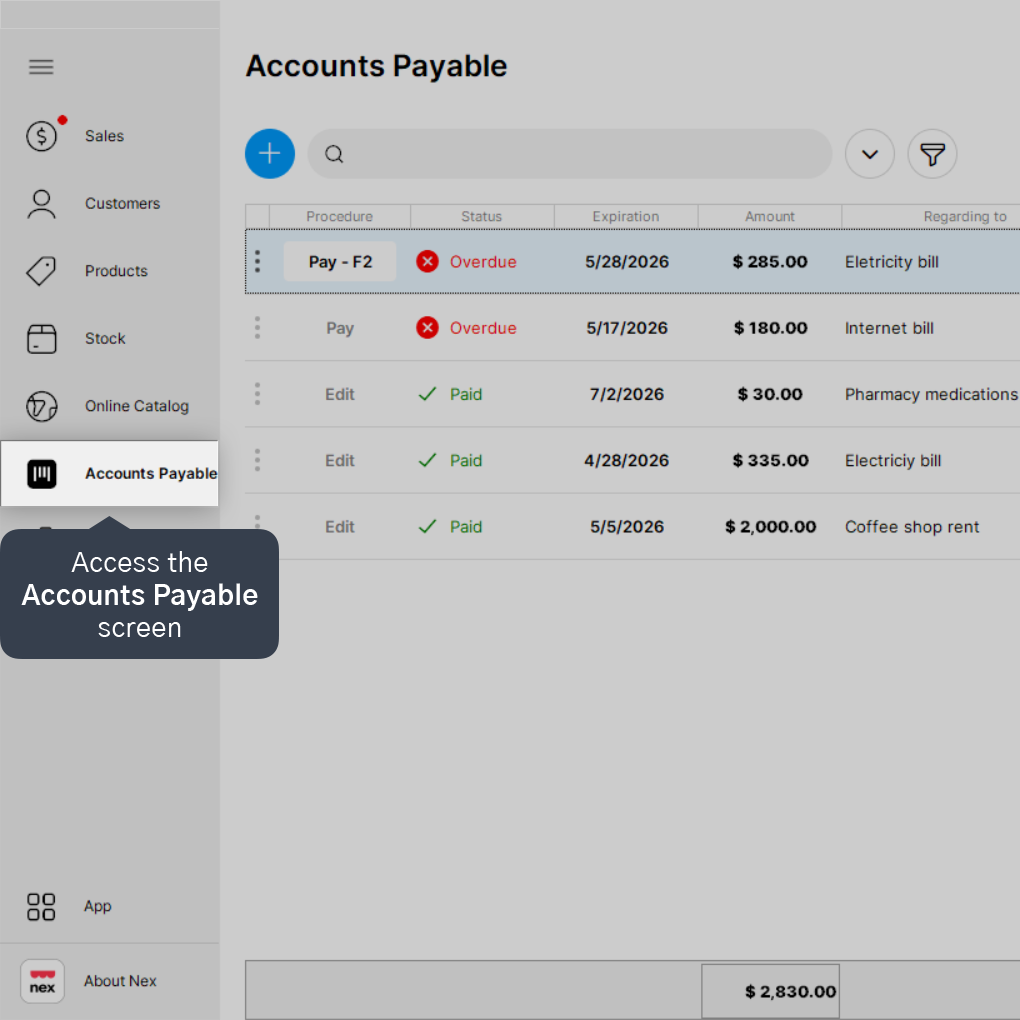
1. Access the Accounts Payable screen.
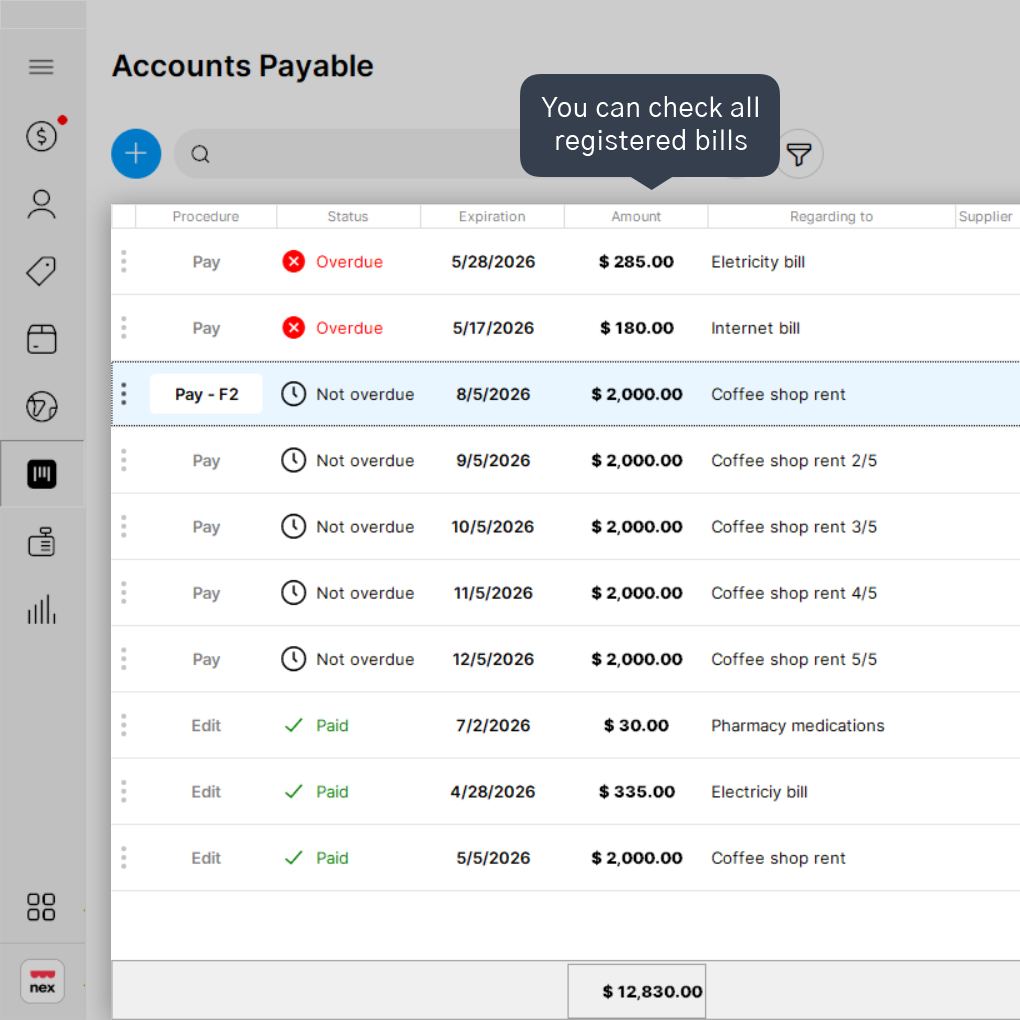
2. On this screen, you can check all registered bills.
3. To filter your bills, click on the filter icon.
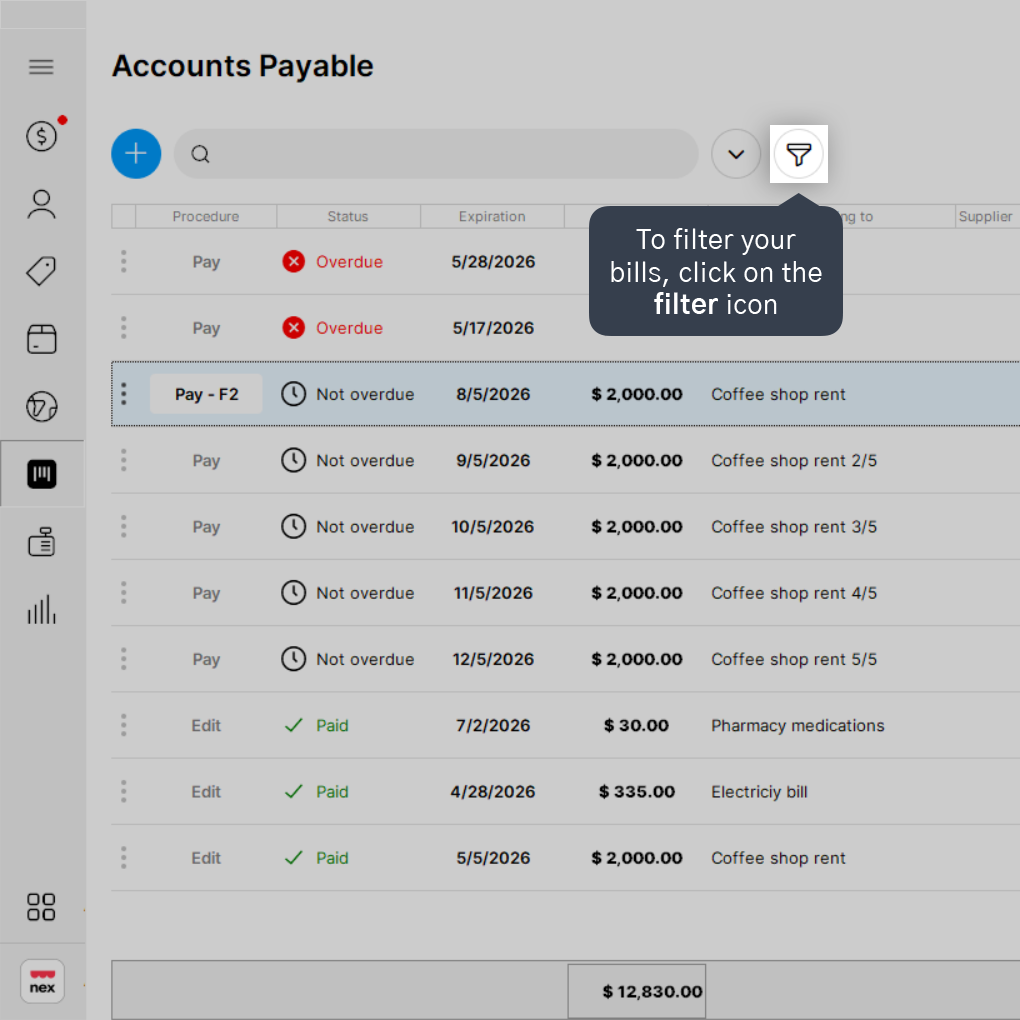
4. You can apply filters to view only Unpaid bills, Overdue bills, Not Overdue bills, Paid bills, or view All registered bills.

When selecting the desired option, the system will apply the filter and show on the screen only the bills you filtered. To return to the default view of all bills, simply click on the filter icon again.
Done! Now you know how Accounts Payable works and how to view all accounts payable registered in Nex.


