See how to put your own logo in the Online Catalog, improving your brand awareness.
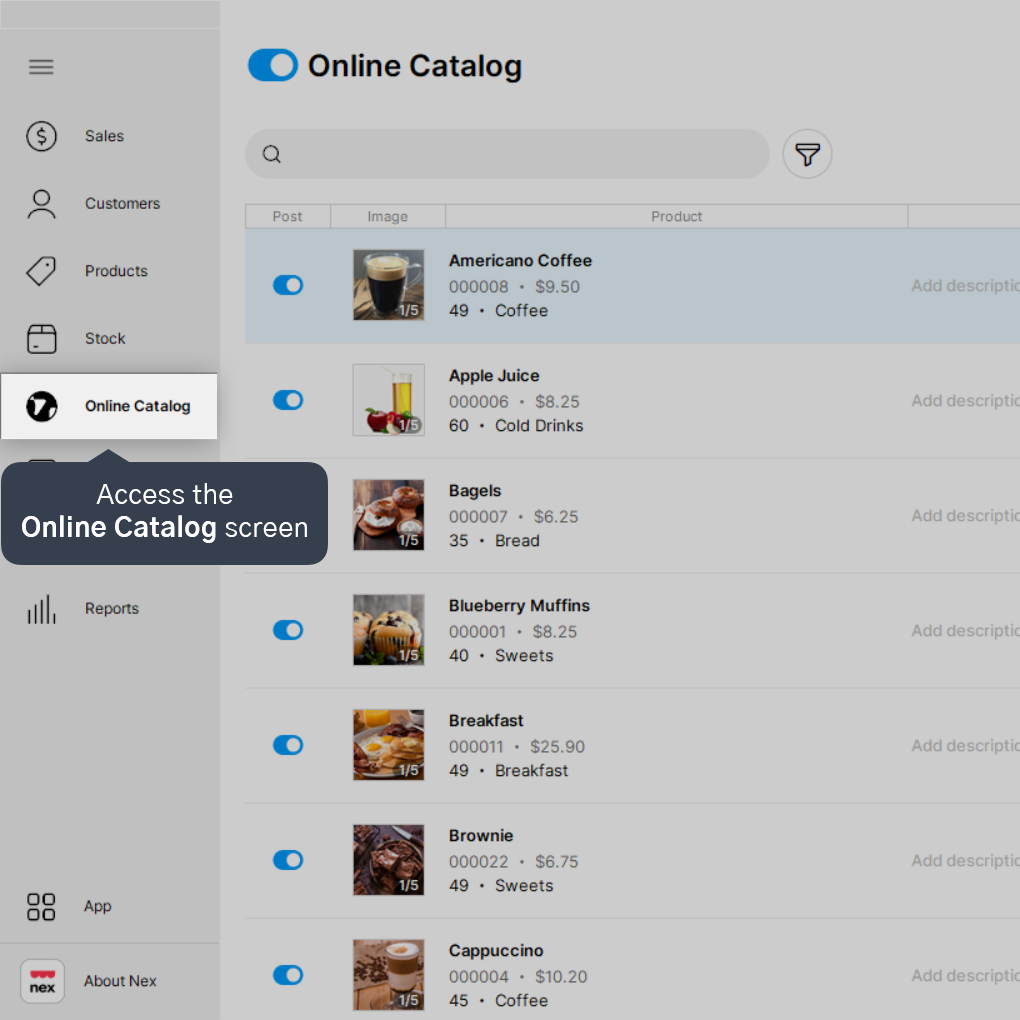
1. Access the Online Catalog screen from the left sidebar menu.
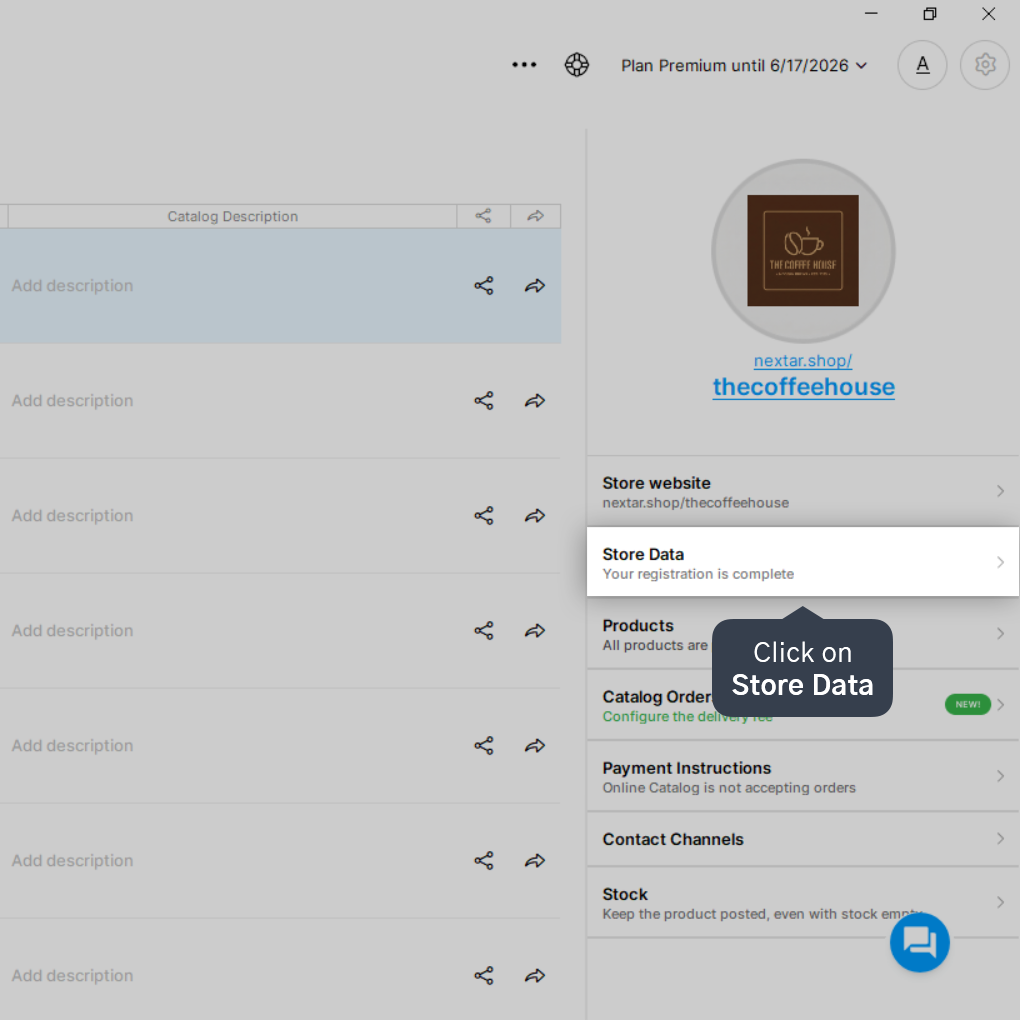
2. Click on Store Data.
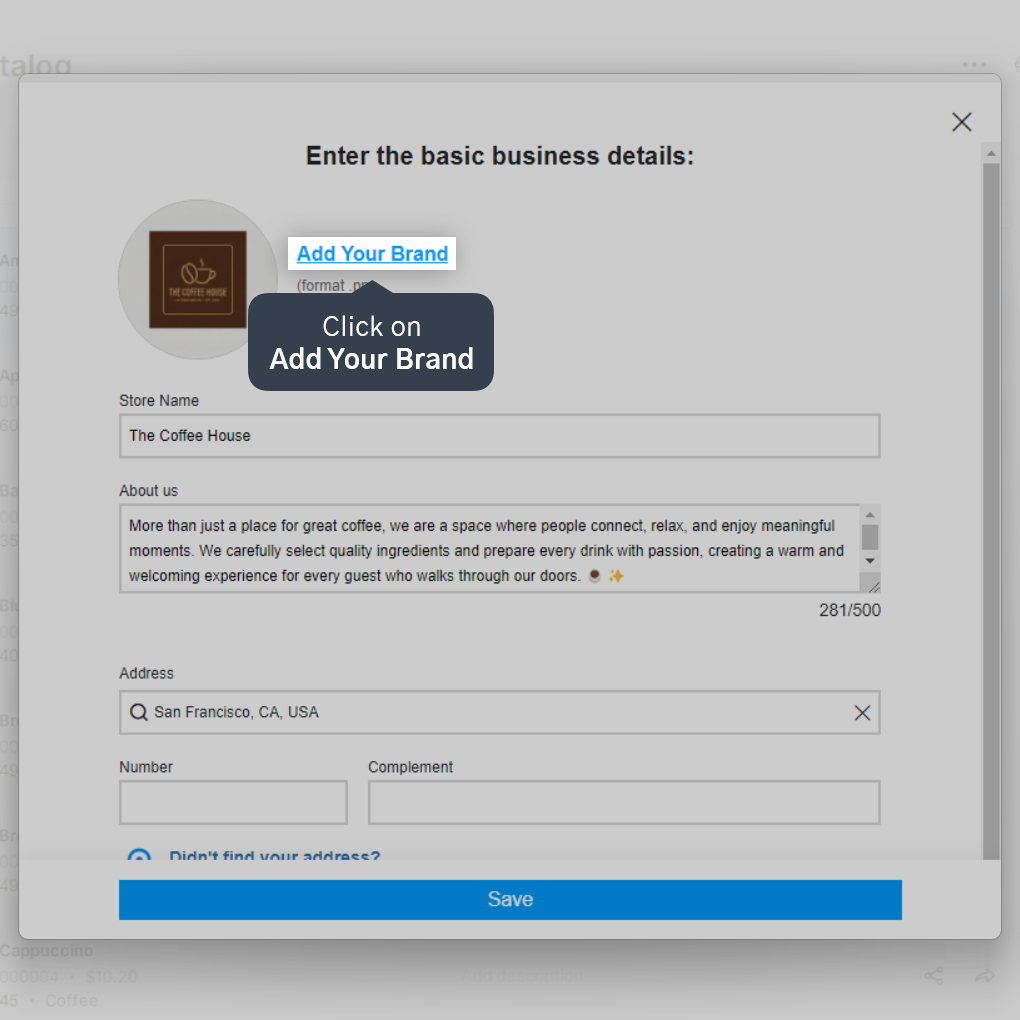
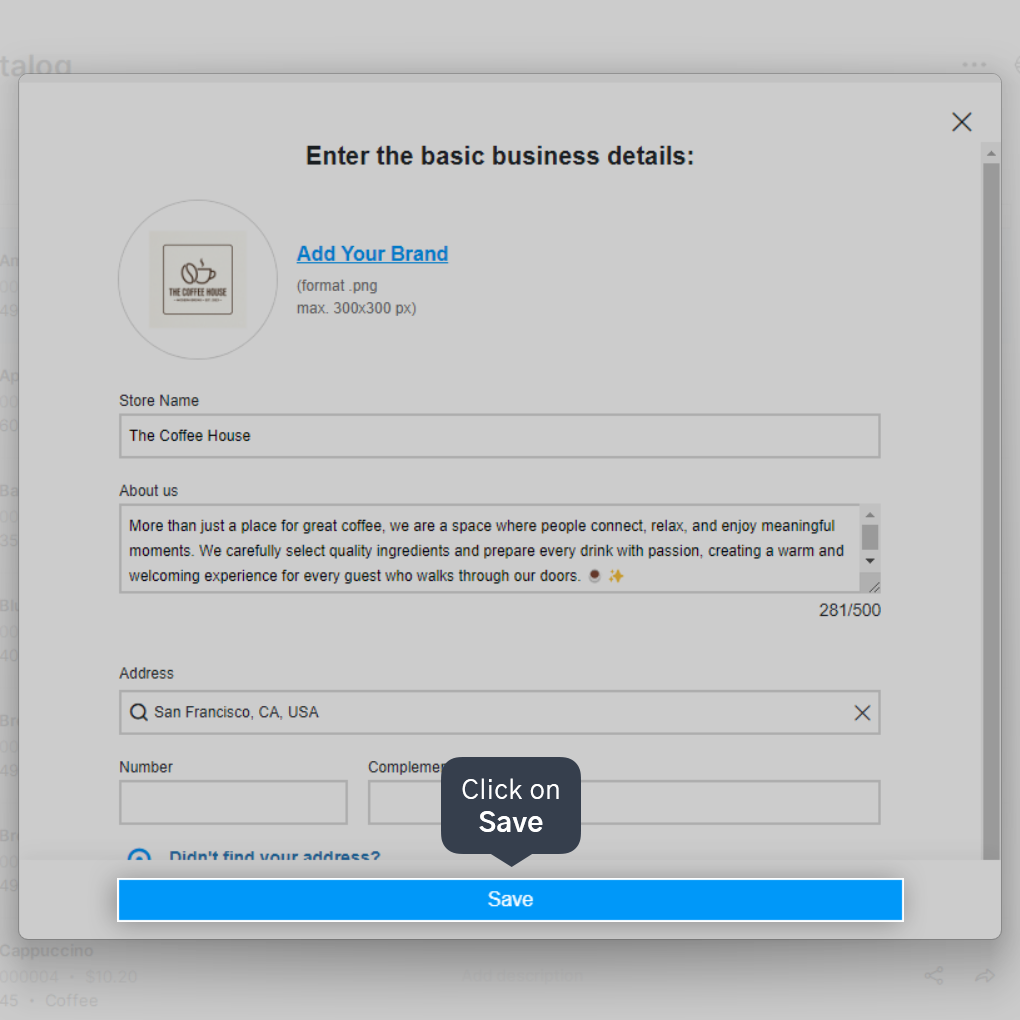
3. Click on Add Your Brand.
4. Select the logo image and then click on Open.
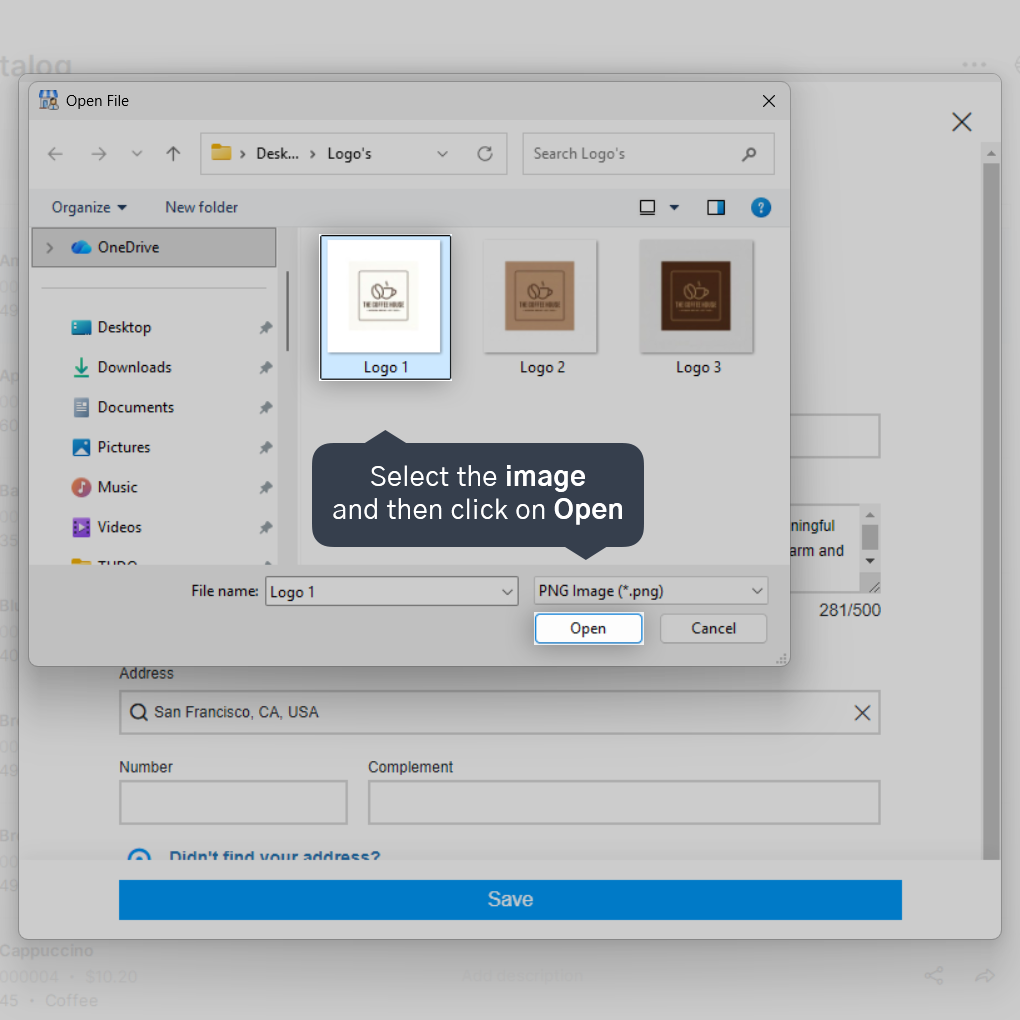
The file format must be .jpeg or .png, and the maximum size allowed is 300x300 pixels or 1MB.
5. Click on Save.
Done! Now you know how to add or change your store's logo in the Online Catalog.


